Part 10 of 13 in Meeting the DfE digital and technology standards.
Somewhere in most schools there is a cupboard with a server in it, a UPS that beeps occasionally, and nobody sure what would happen if either stopped. The DfE servers and storage standard is a checklist for that cupboard, and a nudge to ask whether it still needs to exist.
In short: The DfE servers and storage standard asks four things of any server a school keeps on site: it should keep working if any single component fails, it must be secure and follow data protection legislation, it should be energy-efficient, and it should live in an appropriate physical environment. The DfE says three of the four should already be met. It also says, twice, that using cloud solutions reduces the need for local servers. For most schools the honest answer is a retirement plan, with this standard applied in full to the servers that cannot go yet.
What does the servers and storage standard ask for?
The DfE's servers and storage page opens with: "Make sure you choose the right servers and storage for your school or college, including security, energy efficiency and suitable environments." It then sets out four standards, in this order.
- "All servers and related storage platforms should continue to work if any single component or service fails"
- "Servers and related storage platforms must be secure and follow data protection legislation"
- "All servers and related storage platforms should be energy-efficient and set up to reduce power consumption, while still meeting user needs"
- "All server and related storage platforms should be kept and used in an appropriate physical environment"
Servers and storage is not one of the six core standards on the DfE standards hub, so the 2030 date does not apply. The timing language is stronger than that. The page names no specific role; the actions fall to "your IT support", consulting the DPO on data protection and working with school business professionals on energy.
When do you have to meet it?
The four "when to meet" lines are short and consistent.
- Resilience (standard 1): "You should already be meeting this standard to help safeguard, protect and secure your data and systems."
- Security and data protection (standard 2): "You should already be meeting this standard to comply with data protection legislation."
- Energy efficiency (standard 3): "You should review your existing servers and related storage platforms now to make sure they meet the standards."
- Physical environment (standard 4): "You should already be meeting this standard to help safeguard, protect and secure your data and systems."
So there is no runway here. Every server a school runs today is expected to meet the resilience, security and environment requirements already, and to have been reviewed for energy use now. That sounds demanding until you notice the sentence the DfE puts at the top of two of the four standards.
The first question: does the server still need to exist?
The DfE says it under both the resilience standard and the physical environment standard: "Using cloud solutions reduces the need for local servers. Reading the cloud standards for schools and colleges with your IT support will help you to assess where you can replace or reduce server resources." The cloud solutions standard says schools should use cloud as an alternative to local servers "as soon as possible".
Read together, the two standards point the same way. Everything that follows costs money to apply to a server: dual power supplies, a sized UPS, mirrored disks, a failover server, a termly review, a room with its own power and cooling. Applying all of it to a file share that Microsoft 365 already replaced is the wrong spend.
The pattern we see is not schools running large server estates. It is one or two boxes that outlived their purpose: a domain controller that Entra ID now duplicates, a file server nobody has opened since OneDrive, and one application that genuinely still needs it. Older Windows Server versions reaching the end of support make the decision harder to defer; our piece on the real cost of keeping legacy servers sets out that maths.

"The cheapest server to make resilient is the one you retire."
For the servers that stay, the rest of the standard applies. Here is what it asks.
No single point of failure
The DfE says servers "designed to be secure and resilient" will "be more reliable, make sure your IT support can monitor performance and alert you if a component or service fails, minimise the risk of systems and data being unavailable." The technical requirements split into general good practice and specific measures for servers holding critical data.

For all servers:
- monitoring and alerting, so IT support knows when a component fails,
- failing components replaced quickly,
- valid manufacturer warranties and support,
- patches and firmware applied per the manufacturer's guidance,
- a replacement process as equipment nears the end of warranty or life.
For critical data servers, the DfE adds:
- "multiple power supplies for servers which switch seamlessly if the power fails,"
- "an uninterruptible power supply (UPS) with automatic, safe shutdown of servers and a minimum of 30 minutes run-time,"
- disk mirroring and/or redundancy,
- regular backups,
- backup servers, on site or in the cloud, with seamless network card failover,
- warranties matched to how critical the server is.
Two of these are most often missing in inherited estates. The UPS is there, but it has never been told how to shut the server down, and its battery has never been tested under load. And the backup runs, but nobody has restored from it, the same gap the cyber security standard closes with its termly restore test. A backup service with scheduled restores turns hope into a record.
Secure by design, reviewed each term
The second standard is the one the DfE phrases with "must", because it rests on data protection law: "To meet data protection legislation all IT systems and services must be 'secure by design'", with risks from physical damage, cyber attack and human error minimised. IT support "should consult with your data protection officer (DPO) on data protection issues such as data retention and sharing."
The technical requirements are a short list, and each maps onto something already in the cyber security standard.
- Meet the cyber security standards for schools and colleges.
- Keep systems "secure, licensed, updated and well-managed".
- Review them "whenever you make a change or at least each term".
- A DPIA for any server holding personal or sensitive data.
- A process for creating, approving and removing user accounts.
- Documented roles in the event of a breach.
- "All systems need to follow the National Cyber Security Centre (NCSC) 10 Steps to Cyber Security guidelines."
The termly review is the anchor. If the SLT digital lead can show a dated record, each term, of who checked the server's patches, accounts and configuration, most of this standard is evidenced in one document.
Energy efficiency is a stated requirement
The third standard is the one that saves money on its own. The DfE says "local servers and their storage platforms run continuously. This means they can use a lot of energy." It asks school business professionals and IT support to work together on it.
- Energy efficiency is a stated requirement in all server and storage procurements.
- Existing platforms are set to the highest efficiency consistent with user needs.
- Power saving applies when servers are inactive, "as long as this does not significantly reduce server performance, prevent backups, or risk damage to the equipment."
- Unused features are turned off.
- New servers are "designed to be energy efficient, with the ENERGY STAR label or equivalent", meet immediate needs without over-specifying, and are durable, maintainable and repairable.
A server that is only there for one application does not need the specification of a server that ran the whole school in 2016. Right-sizing at replacement is the point.
The server room rules
The fourth standard is the easiest to check with a walk down the corridor. The DfE says servers "can only be accessed by people who have a genuine need to do so", and sets out what the room should be.
- A dedicated, secure, locked room or cupboard meeting British Standards.
- Minimum room depth of 3.4 metres and width of 2.2 metres for a single cabinet 1000mm deep and 800mm wide; each additional cabinet adds 0.8 metres of width, with 1.4 metres to the side wall.
- Equipment housed in cabinets.
- "Free of flammable items, such as paper, boxes, clothing, solvents or chemicals."
- A "dedicated power supply that can meet or exceed current demand", isolated and uninterruptible.
- "Sufficient cooling or mechanically assisted ventilation" to stay within the manufacturer's temperature guidance.
- Protection from leaking pipes, water sources above, dust and other hazards.
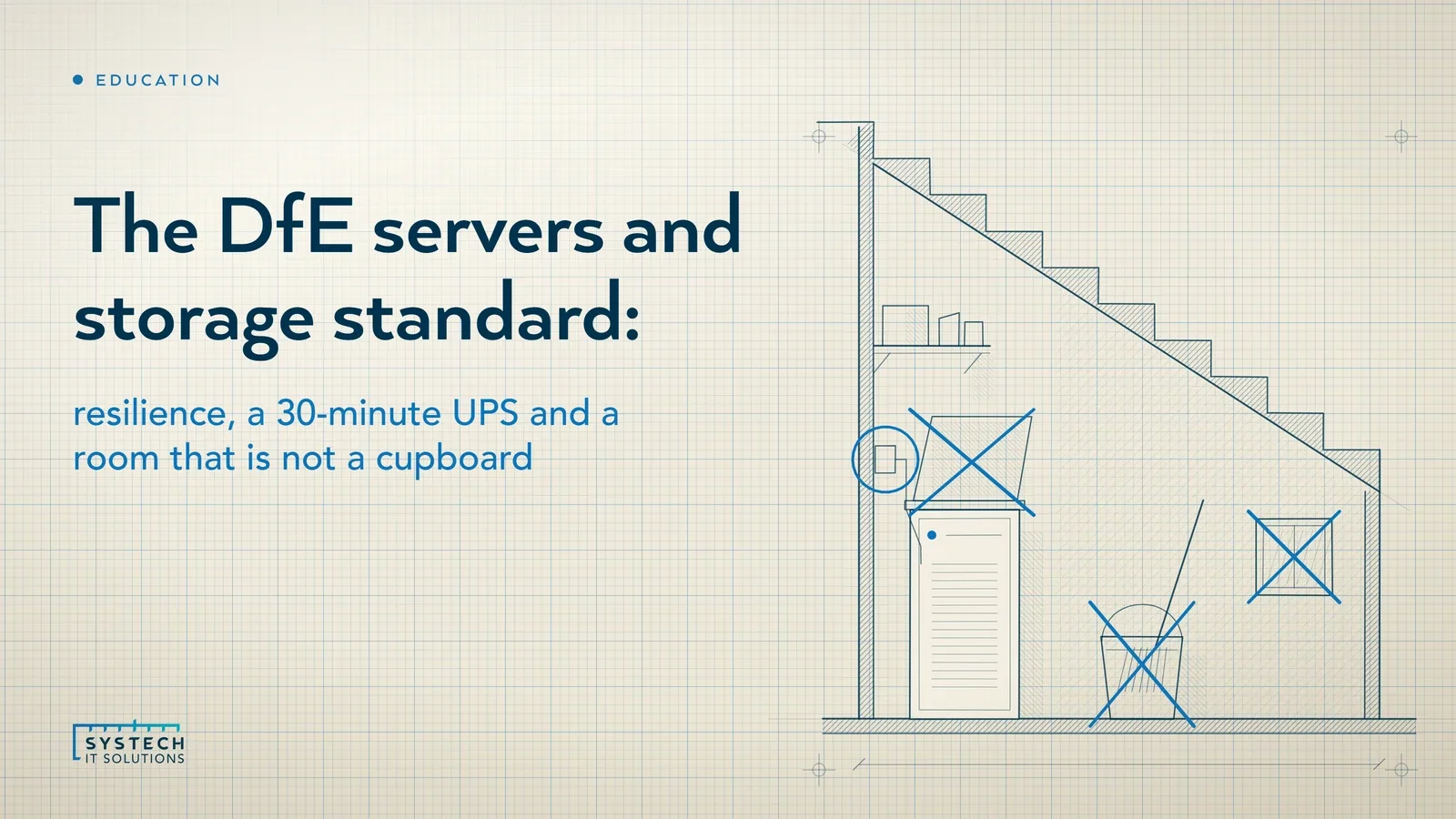
And four things the room must not do: "contain battery-powered end user devices, such as laptops", have windows, be accessed via a classroom, or "store any liquids." The laptop trolley parked in the server cupboard and the mop bucket under the cabinet are both, on the DfE's wording, a fail. They are also the two we see most often.
Where Systech fits
We start with the retirement question rather than the resilience one, because it is usually the better answer. We map what each server still does, move what Microsoft 365 already covers, and plan legacy workloads off ageing Windows Server versions in holiday windows, not term time. For any server that stays, we specify and evidence the four standards: dual power, a UPS with tested automatic shutdown, restore-tested backups, a termly security review the SLT digital lead can sign, and a room check against the DfE's list. We do not build server rooms or install power and cooling; we specify them and check the result.
If you would like to know where your school stands against this standard and the eleven others, our free 60-minute DfE standards baseline works through each one with you and leaves you with the findings in writing, whether or not you go any further with us.
Frequently asked
What does the DfE servers and storage standard require?
The DfE servers and storage standard has four parts. All servers and related storage platforms should continue to work if any single component or service fails, which for critical data servers means multiple power supplies, an uninterruptible power supply with automatic safe shutdown and at least 30 minutes of run-time, disk mirroring or redundancy, regular backups and backup servers with seamless failover. Servers must be secure and follow data protection legislation, following the NCSC 10 Steps to Cyber Security, with a DPIA where personal data is held and a review at least each term. Servers should be energy-efficient, specified with the ENERGY STAR label or equivalent and set to save power when inactive. And servers should be kept in an appropriate physical environment: a dedicated, locked room or cupboard with no windows, no liquids and no battery-powered devices.
Does a school still need an on-site server to meet the DfE standards?
Not necessarily, and the DfE's own guidance leans the other way. The servers and storage page says that using cloud solutions reduces the need for local servers, and points schools to the cloud solutions standard to assess where server resources can be replaced or reduced. The cloud standard in turn says schools should use cloud solutions as an alternative to locally hosted systems, including servers, as soon as possible. For most schools on Microsoft 365, email, files, identity and device management already run in the cloud, which leaves a small number of workloads such as the MIS, a finance package or a legacy application that still depend on a local server. The practical route is a retirement plan for those, and for any server that stays, the four parts of this standard applied in full.
What size should a school server room be under the DfE standard?
The DfE standard asks for a dedicated, secure, locked room or cupboard that meets British Standards, with a minimum depth of 3.4 metres and width of 2.2 metres for a single cabinet 1000mm deep and 800mm wide. Each additional cabinet adds 0.8 metres of width, with 1.4 metres of clearance to the side wall. Equipment should be housed in cabinets, and the room should be free of flammable items such as paper, boxes, clothing, solvents or chemicals. It needs a dedicated, isolated, uninterruptible power supply that meets or exceeds current demand, and sufficient cooling or mechanically assisted ventilation to keep within the manufacturer's temperature guidance. It must not contain battery-powered end user devices such as laptops, have windows, be accessed via a classroom, or store any liquids.
How long should a school server UPS last?
The DfE servers and storage standard says critical data servers should have an uninterruptible power supply with automatic, safe shutdown of servers and a minimum of 30 minutes run-time. The 30 minutes is not there to keep lessons running through a power cut; it is there to give the servers time to close their databases and shut down cleanly rather than lose power mid-write. The automatic shutdown is the part most often missing. A UPS that keeps the server alive for 30 minutes and then dies without telling the server to stop has protected nothing. The standard pairs the UPS with multiple power supplies that switch seamlessly if one fails, monitoring and alerting so IT support knows a component has gone, and valid manufacturer warranties matched to how critical the server is.