+44 (0)1482 770583
 hello@systechitsolutions.co.uk

Part 3 of 13 in Meeting the DfE digital and technology standards.
A governor asks whether the school is cyber secure. The honest answer is usually "partly", and nobody is quite sure which parts. The DfE's cyber security standard turns that vague question into seven specific ones, most answerable from systems you already pay for.
In short: The DfE's cyber security standard is one of the six core standards schools and colleges should be working towards by 2030. It has seven requirements: an annual cyber risk assessment reviewed every term; a cyber awareness plan with annual training; anti-malware and a correctly configured firewall; user accounts with MFA for staff cloud access and all admin accounts; licensed software with critical patches applied within 14 days; a tested backup plan with at least three copies, one off-site and immutable; and a procedure for reporting cyber attacks. It is not Cyber Essentials, though the DfE says it can help you work towards certification. The first step is the risk assessment, to be completed as soon as possible.
What does the standard actually ask for?
The standard is seven requirements. In the DfE's order:
- "Conduct a cyber risk assessment annually and review every term". Complete it as soon as possible, repeat it every year or after a significant change or an incident, and revisit it each term.
- "Create and implement a cyber awareness plan for students and staff". An acceptable use policy that everyone signs, and cyber training "at least annually".
- "Secure digital technology and data with anti-malware and a firewall". A correctly configured boundary firewall, and centrally managed, actively monitored anti-malware on every device and cloud server.
- "Control and secure user accounts and access privileges". Unique credentials, enforced password strength, MFA, least privilege and a joiner, leaver and mover process.
- "License digital technology and keep it up to date". Everything licensed and eligible for security updates, with critical fixes applied within 14 days.
- "Develop and implement a plan to back up your data and review this every year". At least three copies on two devices with one off-site, immutable, and restore-tested every term.
- "Report cyber attacks". An internal response plan and a named person for external reporting.
The full wording is on the GOV.UK cyber security core standard page, and our DfE standards guide shows where it sits among the other eleven.
How does this relate to Cyber Essentials?
The DfE's own position: "Cyber Essentials is a government-backed certification that happens on an annual basis." It gives organisations in any sector assurance on the technical elements of their cyber security. Then the line that matters for budgets: "Cyber Essentials is a requirement for colleges under their funding agreement. Some schools may wish to complete it as part of their cyber security activities. These standards can help you work towards certification."
Three practical consequences follow:
- Colleges already have to certify, so the DfE standard and the annual certification are best run as one programme rather than two.
- Schools are not required to certify, but the seven requirements overlap heavily with the technical controls Cyber Essentials assesses, so meeting the standard takes you most of the way there.
- Governors can treat the certificate as independent evidence of the technical parts, and the DfE standard as the wider governance wrapper around them.
Our Cyber Essentials vs Cyber Essentials Plus comparison explains the two levels without a sales pitch.
Who is accountable, and what the RPA expects
The DfE puts one person in charge of all seven requirements: "The senior leadership team (SLT) digital lead will be accountable for, and prioritise and coordinate activity relating to this standard." IT support, internal or external, does the work. The headteacher or principal is accountable for the cyber awareness plan, governors or trustees approve the acceptable use policy, and the DPO, DSL, HR and the business and finance team each have named parts.
If you have not yet assigned a digital lead, the governance standard explains why that comes first. The DfE's risk protection arrangement (RPA) is also woven into this standard, and it is where evidence stops being optional:
- The cyber response plan, which sits within business continuity planning, is required for RPA cover.
- "If you have risk protection arrangement, you must evidence that the relevant users have undertaken the free National Cyber Security Centre (NCSC) training. This needs to be taken annually."
- Incidents have to be reported to the RPA or your cyber insurer, and the DfE suggests considering RPA cover as an alternative to commercial insurance.
For schools with outsourced IT support that does not yet meet the standard, the DfE says to review how it will be achieved by the next contract renewal date.
The numbers that matter
The standard is unusually specific. Each number below is a test you can apply to your own estate this term.
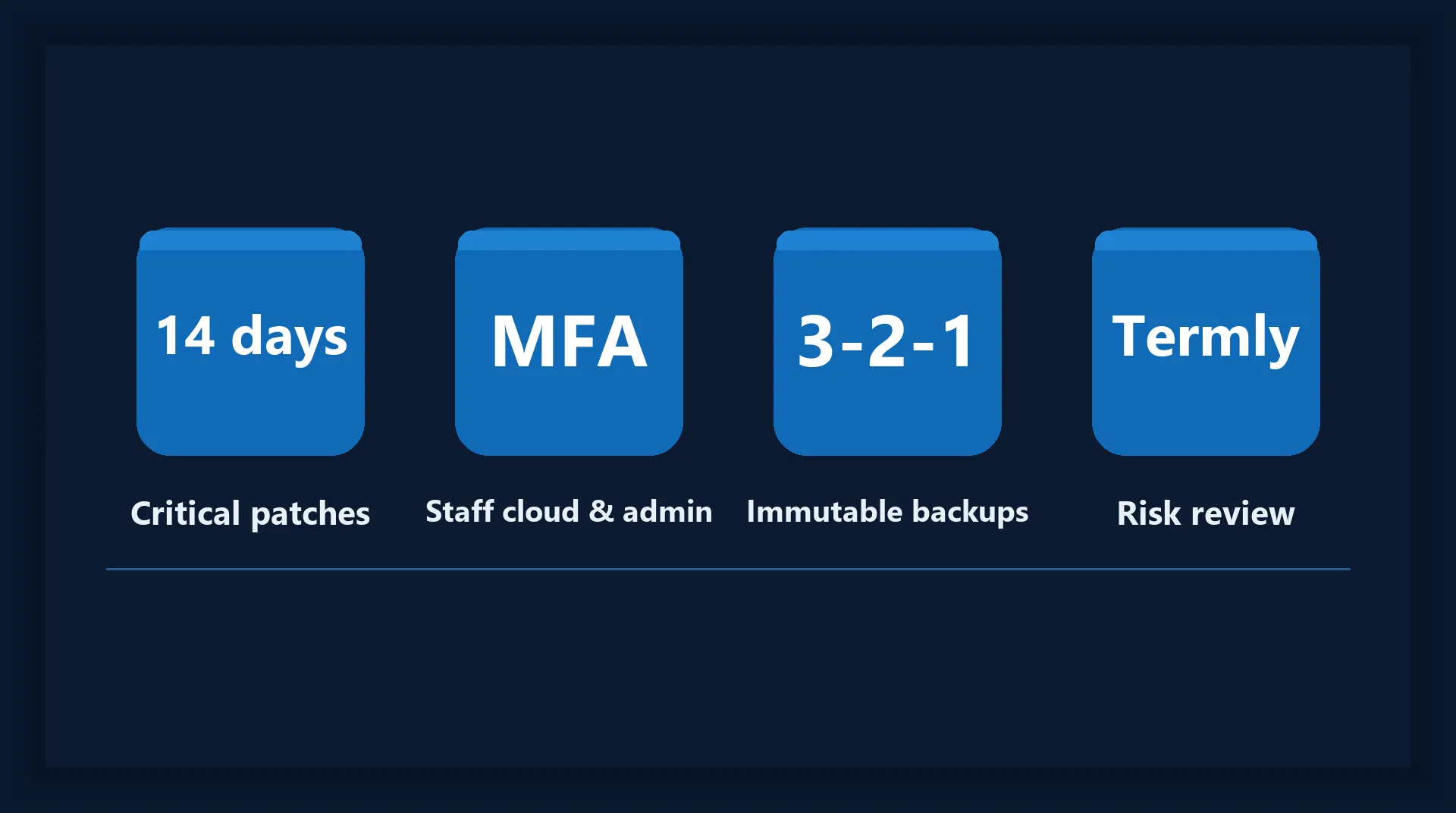
- 14 days. "IT support must complete vulnerability fixes for operating systems, applications and firmware within 14 days of the fix being released." That applies where the vendor rates a fix critical or high, where the CVSS v3.1 base score is 7.0 or above, or where no severity is given. Devices that cannot be patched should be isolated.
- 5 working days. If the DfE issues instructions on a security update, IT support should apply it within 5 working days of notification.
- MFA. "MFA must be enabled for all staff accounts with access to cloud services or remote access to on-site systems, plus all IT administrative accounts." Passkeys may be an alternative on dedicated devices.
- 10 guesses in 5 minutes. Throttle password attempts to that rate, or lock the account after 10 failures. Boot and physical-access PINs on network devices should be at least 6 characters.
- 3 copies, 2 devices, 1 off-site. At least three backup copies of important data on at least two separate devices, one of them off-site, and immutable, meaning they "cannot be changed once they have been created".
- Termly. The risk assessment is revisited every term. So are firewall firmware, the permitted inbound firewall rules (signed off by the SLT digital lead), user accounts (with business and finance), the contracts register, and a logged backup restore test.
- Annually. The risk assessment itself, cyber training, the backup plan review, and renewal of student acceptable use contracts.
- 72 hours. High-risk data breaches go to the ICO within 72 hours.
What you may already own in Microsoft 365 Education
Most of that list is configuration, not procurement. A school on Microsoft 365 Education licensing usually already holds, depending on tier, the identity, device management and anti-malware tools the standard describes. The pattern we see is that they were bought and never switched on, or switched on for some users and not others.
- MFA and account control. Entra ID conditional access enforces MFA for staff and admins and blocks legacy sign-ins; our guide to conditional access policies covers a sensible starting set. The DfE also asks that global and admin accounts are not used routinely, and that SLT holds an emergency admin account.
- Patching within 14 days. Intune update policies and compliance reports show which devices missed the window. The evidence the standard wants is a report, not a promise.
- Anti-malware. Defender, centrally managed with alerts routed to IT support, scanning web pages, downloads and email attachments. USB storage blocked by default, with a documented exception for exam boards where needed.
- Joiners, leavers and movers. Accounts created only when required, least privilege, and disabled immediately on leaving. The DfE notes that provisioning tools linked to your MIS may help.
- Backups. Microsoft 365 retention is not a backup plan that meets the three-copy rule. An off-site, immutable copy usually means a separate backup service, and it is what makes the termly restore test possible.
"Most schools do not need to buy their way to this standard. They need to switch on what they already pay for, and then prove it."
Where schools usually fall short
The gaps are rarely exotic. Across organisations of every kind, the same six appear:
- Leavers' accounts are never disabled, and a shared admin login is in daily use.
- MFA is on for the leadership team but not for the office, the site team or the supply teacher accounts.
- Backups run every night and have never once been restored, and none of the copies is immutable.
- The firewall arrived with the broadband contract, still has its default admin password, and its inbound rules have never been reviewed. The DfE notes that many schools receive their firewall this way.
- Training last happened more than twelve months ago. The DfE says that if so, prioritise it.
- Nobody is named to report an incident externally, and near-misses are not recorded.
Start with the risk assessment. The DfE says to complete it "as soon as possible", and it informs every other requirement. Then schedule the disruptive changes, an MFA rollout or a firewall rebuild, into a holiday. September is the busiest support period of the year, and the wrong month to change how every member of staff signs in.
Where Systech fits
We are a Microsoft-first managed IT provider and a small team of specialists, and on this standard our work is configuration and evidence: conditional access and MFA in Entra ID, patch compliance in Intune, Defender tuned so alerts reach a person, immutable off-site backups with a logged termly restore, firewall rule reviews, and the account lifecycle process with your office team. That is our security work, applied to a school calendar.
We do not certify Cyber Essentials ourselves. We prepare an estate for it, fix what the assessment would fail, and hand the evidence to the certification body, which is how our Cyber Essentials service works. We do not write your acceptable use policy or deliver the NCSC training; we can show governors that both happened.
If you want to know which of the seven requirements you already meet, our free 60-minute DfE standards baseline gives you a written answer against all twelve standards, the six core ones first, and the findings are yours whether or not you engage us afterwards.
Frequently asked
Is Cyber Essentials mandatory for schools?
Not for schools, according to the DfE's cyber security standard. The DfE describes Cyber Essentials as a government-backed certification that happens on an annual basis and provides a level of assurance on the technical elements of an organisation's cyber security. It says Cyber Essentials is a requirement for colleges under their funding agreement, that some schools may wish to complete it as part of their cyber security activities, and that the DfE standards can help you work towards certification. So for a college it is required through the funding agreement; for a school it is optional but closely aligned with the seven requirements of the DfE standard.
Does the DfE require multi-factor authentication in schools?
Yes, within the cyber security standard's requirement to control and secure user accounts. The DfE says MFA must be enabled for all staff accounts with access to cloud services or remote access to on-site systems, plus all IT administrative accounts. Passkeys may be an alternative on dedicated devices. The DfE lists acceptable factors, at least two of which should be combined: a password, SMS for staff only, an automated call, an authenticator app on a portable device, a security key, trusted-party approval or biometrics. For a school on Microsoft 365 Education this is usually a configuration task in the existing tenant rather than a purchase, and the DfE cyber security hub publishes MFA guidance.
What backups does the DfE cyber security standard ask schools to keep?
The DfE says you must back up your data now, and that if you have not yet done so you should develop a backup plan as soon as possible. The plan should provide at least three backup copies of important data, on at least two separate devices, with at least one copy off-site. Backups should be immutable, which the DfE defines as backups that cannot be changed once they have been created. Restores should be tested and logged every term, recovery should not depend on a specific device, and the plan should be reviewed annually or when systems or data change significantly. Physical off-site backups should be encrypted, securely stored and never taken to personal homes.