
IT & Microsoft cloud for medical & healthcare
Patient data protection, secure devices and compliant, resilient IT for healthcare providers.
Request a callClinical systems that stay up, and DSPT evidence that holds
In short: DSPT evidence, shared clinical devices, and continuity when a clinical system goes down mid-session. Answer the DSPT from evidence rather than from memory, and start with the shared devices: between them those two account for most of what practices get wrong.
In healthcare the data you hold is as sensitive as it gets, and the consequences of losing it, or losing access to it mid-clinic, are measured in patient care and safety, not just penalties.
The challenge
Medical and healthcare providers, GP practices, dental and private clinics, care providers and the organisations that supply them, hold special-category patient data under UK GDPR, and are expected to handle it in line with the Caldicott principles: using confidential information only when justified, sharing the minimum necessary, and treating the duty to share for care as equal to the duty to protect. Most organisations that touch NHS patient data must complete the annual Data Security and Protection Toolkit (DSPT) and stand behind that self-assessment, and CQC-registered providers are inspected on whether records are secure, accurate and available. Underneath the compliance sits a hard operational reality: clinical systems have to be up during clinic hours, devices are often shared between clinicians and rooms, staff need secure access across sites and from home, and none of the security can get in the way of treating a patient in front of you. Getting it wrong doesn't just risk a fine, it disrupts care.
What we would do
Answer the DSPT from evidence rather than from memory, and start with the shared clinical devices. Those two things account for most of what a practice or clinic gets wrong, and both are fixable without disrupting a clinic list.
- If a clinical system going down mid-session is the fear, that is a continuity question rather than a security one, and it is answered by a tested restore time, not by another control.
- If you run several sites or branch surgeries, standardise the device build before adding anything. Inconsistent builds are what make every subsequent problem site-specific.
When we are not the answer: If your clinical systems are hosted and supported by their vendor, your DSPT is current and evidenced, and someone has restored from backup this year, you do not need this. That is a smaller list than most practices assume, which is why it is worth checking.
On timing: The DSPT is an annual submission with a date set by NHS England rather than by us. Gathering evidence through the year is considerably cheaper than assembling it in the fortnight before.
What we do for medical & healthcare
What does the DSPT actually require, and who has to complete it?
The Data Security and Protection Toolkit is an annual online self-assessment against the National Data Guardian's data security standards, and it applies to organisations that have access to NHS patient data or NHS systems.
That is a wider net than people assume: alongside GP practices and trusts it catches dental practices, pharmacies, care providers, and a good many suppliers who handle patient data on someone else's behalf.
What the assessment covers, and why a self-assessment that others rely on is the awkward part
The assessment covers areas that will look familiar to anyone who has done Cyber Essentials, with a stronger emphasis on people and governance: staff training and awareness, access control and account management, patching and supported software, backup and business continuity, incident reporting, and how the organisation manages the suppliers who touch its data. Different organisation types complete different versions, so the number of assertions varies.
What makes it awkward is that it is a self-assessment carrying real weight, published and relied on by commissioners and partners. Overstating your position is a genuine risk, and the common failure is answering from how things are supposed to work rather than how they demonstrably do. The practical approach is to gather the evidence first, patch compliance reports, access reviews, training records, backup test results, and let the answers follow from what the evidence actually shows.
How do you secure shared clinical devices without slowing down a clinic?
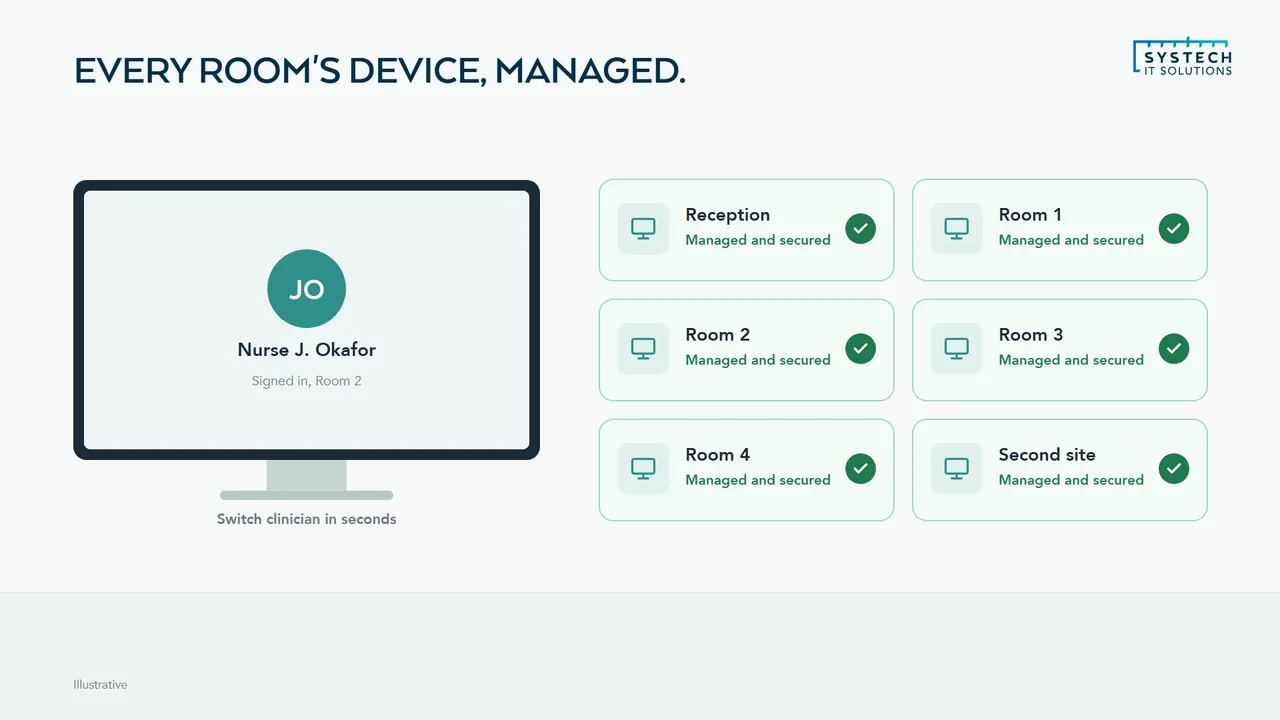
By making the security follow the person rather than the machine, because the alternative, asking clinicians to fully log out and back in between patients, will be defeated within a week and rightly so.

A shared room PC used by several clinicians across a session is a real security problem, but any control that adds meaningful time to each patient interaction is not a workable solution.
Shortening authentication rather than adding to it, and what conditional access does underneath
The approaches that survive contact with a working clinic are the ones that shorten authentication rather than lengthen it: fast sign-in methods such as smartcards or Windows Hello so switching user is seconds rather than a password ceremony, session timeouts tuned to the realities of a room where someone may step out mid-consultation, and device-level controls, encryption, compliance policy, restricted local admin, that apply regardless of who is signed in.
Underneath that, conditional access does the heavy lifting: patient data is reachable only from devices that are managed and compliant, so an unmanaged laptop or a personal tablet cannot reach records even with valid credentials. That control is invisible to clinicians in normal use, which is precisely why it works.
What happens to a clinic if the clinical system goes down mid-session?
Whatever you planned for in advance, and if nothing was planned the answer is usually that the clinic improvises badly.
Loss of access to records during a session is a patient safety issue before it is an IT issue, so the plan has to cover how care continues, not merely how the system is restored.
What clinicians do when records are unavailable, and what to ask the supplier before you need it
That means deciding in advance what clinicians do when records are unavailable: whether a read-only copy of essential information exists and where, how notes made during the outage are captured and reconciled afterwards, who decides whether the session continues, and how patients are informed. Most clinical systems are supplier-hosted, so restoring service is often not in your hands, which makes the continuity plan more important rather than less.
The questions worth answering with the supplier before you need them are the same ones every sector should ask and few do: what recovery time is contractually committed, has it been tested, is your data recoverable independently of the supplier's own infrastructure, and does their backup protect against your own errors as well as their outages. Backup and recovery for the estate you do control, email, documents, the devices themselves, should then be monitored and tested rather than assumed.
How do the Caldicott principles change how you handle patient data day to day?
They push you towards least privilege and away from convenience, and they add a duty most security frameworks leave out.
The principles require a justified purpose for using confidential information, use only when it is genuinely necessary, the minimum necessary information, access strictly on a need-to-know basis, and awareness of responsibilities among everyone handling it.
What the principles mean in configuration, and the one people forget
Translated into configuration, that means access scoped to role rather than granted broadly because it is simpler, reviewed when people change roles rather than only when they leave, and audited so you can answer who accessed which record and when. A flat permissions model where all clinical staff can see all records is difficult to defend against the minimum-necessary principle, however convenient it is.
The principle people forget is the last one: the duty to share information for care can be as important as the duty to protect it. Controls that make legitimate sharing so difficult that staff route around them, personal email, unmanaged file sharing, a photo on a phone, have made things worse rather than better. Good design makes the safe path the easy one, which usually means secure sharing that works well enough that nobody looks for an alternative.
“Their security expertise got us through Cyber Essentials Plus without the usual headache, and their Copilot rollout has genuinely changed how our team works day to day.”
How do you run IT across several sites, branch surgeries or care homes?
From one identity platform and one set of policies, so a site stops being a special case.

The pattern we inherit most often in multi-site healthcare is the opposite: each location grown separately, sometimes through merger or acquisition, with its own server, its own way of building a PC, its own local accounts and its own quiet assumptions. That is expensive to support and genuinely hard to secure, because nobody can answer basic questions across the whole estate.
Consolidating identity and device build, and the two site realities you still design around
Consolidating means people exist once in Entra ID rather than once per site, devices are built and secured identically through Intune and Autopilot wherever they are delivered, and access follows the person as they move between locations, which matters when clinical and care staff routinely work across sites. Conditional access then replaces the older assumption that being physically on a site network makes someone trustworthy.
Two site-specific realities still need designing around. Connectivity varies, and a care home or branch surgery on a poor line needs resilience planned deliberately, whether that is a second connection, mobile failover, or keeping enough function available locally to continue during an outage. And smaller sites rarely have anyone technical on the premises, so remote management has to be genuinely complete: a device that cannot be fixed remotely means somebody travelling, and in a dispersed estate that becomes the dominant support cost if it is not designed out.
Questions we hear a lot
Can you help us complete the NHS Data Security and Protection Toolkit?
Yes. The DSPT is one of the main reasons healthcare providers come to us. We implement the technical controls it asks about, secure identity, device compliance, encryption, access control, patching, monitoring and tested backup, and help you gather the evidence and complete the annual self-assessment with confidence, rather than guessing at answers. Cyber Essentials sits neatly alongside it as independent proof of the basics.
How do you secure shared or clinical devices used by different staff?
Shared devices are a classic healthcare weak point. With Microsoft Intune we enrol, secure, patch and enforce compliance on every device, including shared room and clinical endpoints, so screens lock, disks are encrypted and updates are applied automatically. Conditional Access then ensures only compliant, managed devices can reach patient data, whether a clinician is in the practice or working remotely.
How do you keep our clinical systems available during clinic hours?
By monitoring the systems clinicians actually depend on, scheduling maintenance and updates outside clinic hours where possible, and building in resilience and rapid recovery so a fault doesn't stop a clinic. Where a clinical system is hosted by a third party, we make sure the connectivity, identity and devices around it are solid so the weak link isn't your end.
What happens to patient records if systems fail or we're hit by ransomware?
Monitored, regularly tested backups with rapid restore mean access to records is recoverable quickly, whether the cause is ransomware, hardware failure or human error. We rehearse recovery rather than assuming it works, which is also exactly the kind of assurance the DSPT and CQC expect you to be able to demonstrate.
IT support for medical & healthcare is delivered UK-wide from our office in Brough, East Yorkshire, with on-site support across the county where it helps. We work with businesses in Leeds, Sheffield, York, Hull, Barnsley and Halifax and 6 more Yorkshire towns and cities, and remotely with clients right across the UK.
Ready to talk about your medical & healthcare IT?
A short call about how your IT works today and what your sector asks of it. We will tell you plainly where we would start.
ISO 27001 & ISO 9001 certified · 100% UK-based support
Prefer to talk now? Call us on +44 (0)1482 770583.