
IT & Microsoft cloud for education
Safeguarding, device fleets, Microsoft 365 and budget-conscious IT for schools and colleges.
Request a callStandards met on evidence, and budgets that go further
In short: The DfE digital and technology standards, KCSIE safeguarding duties, and a budget that goes further through the right purchasing route. Baseline honestly against all twelve standards, the six core ones first, including the ones you fail: a documented gap with a dated plan is a stronger position than an unevidenced claim of compliance.
Schools, colleges and trusts carry enterprise-scale device fleets and serious safeguarding and data-protection duties, on budgets that would make an enterprise IT director wince, and with a support window that all but disappears during term time.
The challenge
Education providers manage large numbers of staff and student devices and hold personal data about children, which brings safeguarding responsibilities under Keeping Children Safe in Education (KCSIE) and data-protection duties under UK GDPR. The DfE's cyber security standards for schools and colleges now set clear expectations, MFA, protection from malware, understanding your data and taking regular backups among them, and Ofsted increasingly probes how well the digital estate supports safe teaching. Much of this rests on Microsoft 365, which schools rely on for teaching, assignments and collaboration. But two constraints shape everything: budgets are tight and publicly scrutinised, so enterprise price tags are out; and term-time is unforgiving, major changes and migrations realistically have to happen in the holidays, and during term the priority is that things simply work in the classroom. The job is real control and security at scale, delivered around the school calendar and within a budget that has to stretch.
What we would do
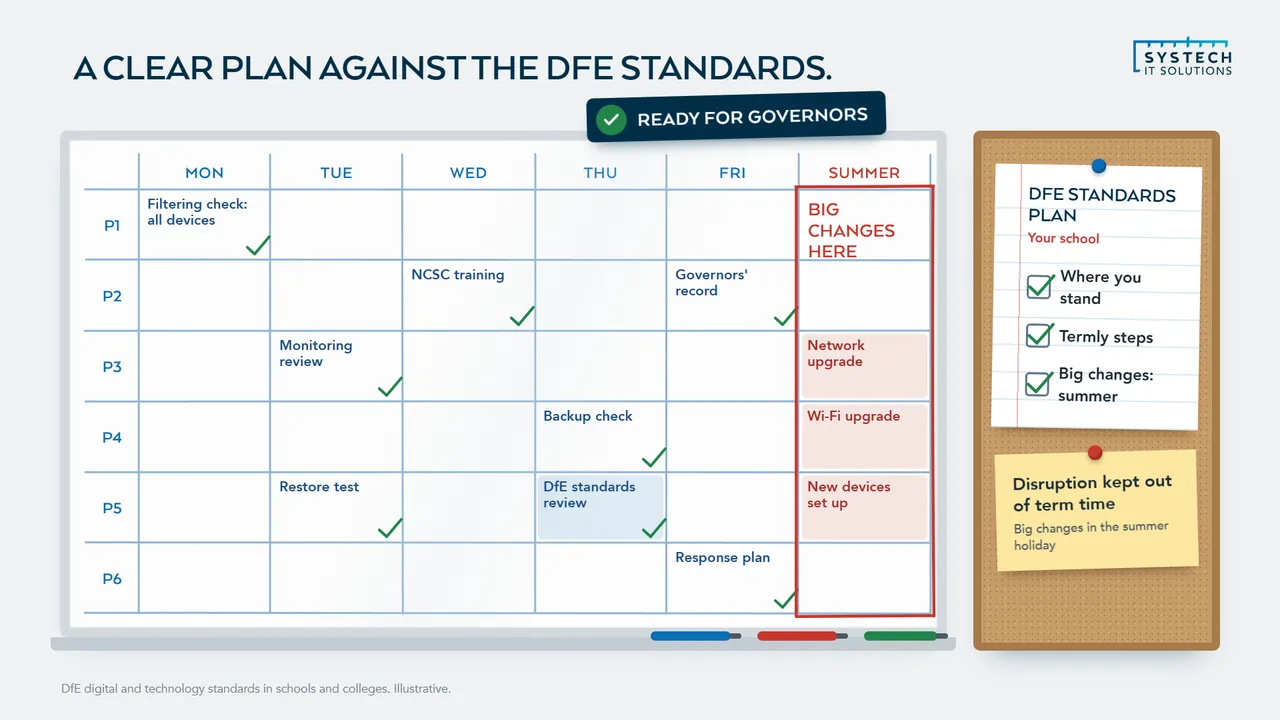
Baseline honestly against the DfE digital and technology standards, the six core ones the DfE says every school should be working towards by 2030 first, including the ones you fail, then build a dated plan against each. A documented gap with a plan is a stronger position than an unevidenced claim of compliance.
- If a grant condition or framework bid is driving it, establish whether you need Cyber Essentials or Cyber Essentials Plus before starting. Assuming the wrong one costs weeks you may not have.
- If you are a trust, baseline per school before writing a trust-wide plan. A single compliance statement is rarely true on day one across inherited estates.
When we are not the answer: If you have a current baseline, a roadmap governors have seen, and filtering and monitoring alerts somebody actually reviews, you are further along than most. Use the time on the standard you know is weakest instead.
What we do for education
What do the DfE cyber security standards require in practice?
They set a baseline that most schools can reach with what they already own, which is the useful thing about them.

The standards cover multi-factor authentication on accounts, protection from malware, keeping software supported and patched, controlling accounts and access with least privilege, taking regular backups and, critically, testing that those backups restore.
How much is configuration rather than purchase, and the standard that catches schools out most
For a school already using Microsoft 365 Education, a good proportion of this is a configuration exercise rather than a purchasing one, since the licensing frequently includes capabilities that have not been switched on. The gap is usually not tooling but ownership: knowing who is responsible for checking that MFA is actually enforced rather than merely available, that patching covers the whole estate rather than the newest devices, and that a restore has been attempted this year.
The standard that catches schools out most often is account control, because school estates accumulate accounts relentlessly: leavers, temporary staff, supply teachers, shared classroom logins, and old student accounts. A termly review, ideally driven from the MIS rather than done by hand, keeps that under control and is far less work than an annual clear-out.
How does IT support safeguarding duties under KCSIE?
Mostly by making the technical side of filtering and monitoring work reliably and be evidenceable, while leaving the safeguarding judgements where they belong.
Keeping Children Safe in Education expects appropriate filtering and monitoring, with governors assured that it is effective, and it is explicit that this must not be so restrictive that it obstructs teaching.
What the technical work actually is, and where IT's responsibility ends and the DSL's begins
The technical work is specific: filtering that applies to school-owned devices wherever they are used rather than only on the school network, monitoring that surfaces concerns to the designated safeguarding lead rather than into an unread log, and the ability to show what is filtered, what is monitored, and who reviewed alerts. That evidence is what governors need in order to give the assurance the guidance asks of them.
The boundary is worth stating clearly. IT provides and maintains the capability and the evidence; the DSL owns the safeguarding response. Where that boundary is vague, alerts tend to sit in a queue nobody has been made responsible for, which is the failure mode that matters most here.
How do you get more out of an education IT budget?
Start with the licences, because education pricing is genuinely generous and frequently misapplied.
Schools and colleges license on the Microsoft 365 A series rather than the commercial plans, and A1 is free for eligible institutions, so the useful question is usually which users genuinely need to move off it rather than which tier to buy for everyone.
Purchasing route and education pricing, device strategy, and avoiding the emergency spend
The purchasing route matters as much as the tier, and it is where the largest savings sit. Under Microsoft's Enrollment for Education Solutions you license faculty and staff, counted as Education Qualified Users, and student coverage comes with it, so an institution buying student licences separately is often paying for something it already has. EES normally requires 1,000 qualified users, which puts it beyond most individual schools, but the Chest agreement run by Jisc reduces that minimum to 100 and brings it within reach of far more schools, sixth form colleges and trusts.
The recurring finding is not overpriced licensing but wrong-tier and wrongly-routed licensing: staff on plans well beyond what their role uses, licences still assigned to leavers, student licences bought alongside a staff agreement that already covered them, and paid third-party tools duplicating something already included in the Microsoft 365 Education subscription.
Device strategy is the second lever. Extending the useful life of existing hardware, buying appropriately rather than aspirationally, and using centrally managed deployment so a device can be re-imaged and reassigned quickly all reduce the replacement rate. Autopilot-style provisioning matters here because it removes the technician time that otherwise makes device turnover expensive.
Third is avoiding the emergency. Unplanned spend, an unsupported system that has to be replaced at short notice, recovering from an incident that better backups would have made routine, is consistently more expensive than the planned version of the same work, and it lands in whichever budget year it happens to occur.
How do you deliver IT projects around term time?
By treating the academic calendar as a fixed constraint rather than a preference, which is a genuine difference from most commercial work.

A school's tolerance for disruption is close to zero between September and July and considerable in the holidays, so the sequencing of a project is dictated by the calendar rather than by what would be convenient.
What has to land in the holidays, and how the priority inverts once term starts
In practice that means migrations, network changes, server replacements and anything requiring significant downtime are planned into the summer, with Christmas and Easter used for smaller pieces. Preparation, discovery, design, procurement, testing, happens during term so that holiday time is spent executing rather than working out what to do. Holidays are short and there is no second attempt until the next one.
During term the priority inverts to keeping teaching running: fast response when a classroom is affected, because a room of thirty pupils cannot wait, and changes kept minimal and reversible. It is also worth being realistic that the first week of September is the busiest support period of the year, so a change landing in late August needs to be finished and tested well before staff return, not on the day they do.
“We inherited a tangle of ageing servers and Systech migrated the lot to Windows Server and Windows 11 with zero disruption. The whole estate finally feels modern and supportable.”
How do you manage devices that students take home?
As school devices that happen to be elsewhere, which is a different proposition from devices that only exist on the school network.
A one-to-one or take-home scheme moves the device outside every control that depended on the building, so filtering, monitoring, updates and support all have to work over the internet or they do not work at all.
Filtering that follows the device, and the damage, loss and return realities of a scheme
Filtering has to follow the device rather than the network, which means enforcement on the device itself so protection applies at home exactly as it does in a classroom. Updates and software deployment have to reach a device that may not connect for days, which changes how compliance is measured: a device that has not checked in is not the same as a compliant one, and the reporting needs to distinguish the two rather than counting silence as success.
Then there are the realities of the scheme rather than the technology. Devices get damaged, lost and returned in unpredictable states, so a fast re-provisioning process matters more than in a staff estate: Autopilot-style rebuild means a returned or repaired device is reset and reissued without a technician spending an afternoon on it. Losing a device should be an inconvenience rather than a data incident, which encryption and the ability to wipe remotely both cover. And there is a fairness dimension worth naming, since not every household has reliable internet, so anything that only works online will not work equally for every pupil.
Questions we hear a lot
Can you manage large numbers of student and staff devices?
Yes. Microsoft Intune lets us enrol, configure, secure and patch large device fleets efficiently, applying the right policies to staff and student devices without touching each one by hand. Student devices can be locked down appropriately while staff get the flexibility they need, all from one place and all kept up to date automatically.
Can you help us meet the DfE cyber security standards for schools?
Yes. The DfE standards, things like multi-factor authentication, protection from malware, keeping software patched, controlling accounts and access, and taking regular tested backups, map directly onto what we do. We put those controls in place, help you understand where you stand against each standard, and pair it with Cyber Essentials as independent evidence of the basics.
How do you help education providers on tight budgets?
By right-sizing Microsoft 365 licences, making the most of the education-specific pricing and donated or discounted licensing schools are eligible for, optimising Azure spend and delivering managed IT at a predictable cost. The aim is straightforward: fewer surprises and more of the budget going into the classroom rather than into idle licences.
Do you work around term time?
Yes, and it shapes how we plan everything. Disruptive work, migrations, rollouts and big changes, is scheduled into holidays wherever possible, and during term the priority is keeping classrooms running with a responsive service desk. We plan the year around your calendar rather than ours.
How do you support our safeguarding responsibilities?
Safeguarding is led by the school, but a lot of it rests on the technical estate. We provide the secure, well-governed systems and access controls behind it, identity security, device compliance and monitoring, and work with your chosen filtering and monitoring so the digital environment supports your KCSIE duties rather than working against them.
IT support for education is delivered UK-wide from our office in Brough, East Yorkshire, with on-site support across the county where it helps. We work with businesses in Leeds, York, Huddersfield, Hull, Sheffield and Barnsley and 6 more Yorkshire towns and cities, and remotely with clients right across the UK.
Ready to talk about your education IT?
A short call about how your IT works today and what your sector asks of it. We will tell you plainly where we would start.
ISO 27001 & ISO 9001 certified · 100% UK-based support
Prefer to talk now? Call us on +44 (0)1482 770583.