
This is for you if
- You own or influence the Microsoft 365 / Azure bill and it's crept up without a clear reason why
- Nobody has sat down and audited licence assignment or resource usage in the last 12 months
- You suspect there's shelfware or idle infrastructure, but proving it feels like a project in itself
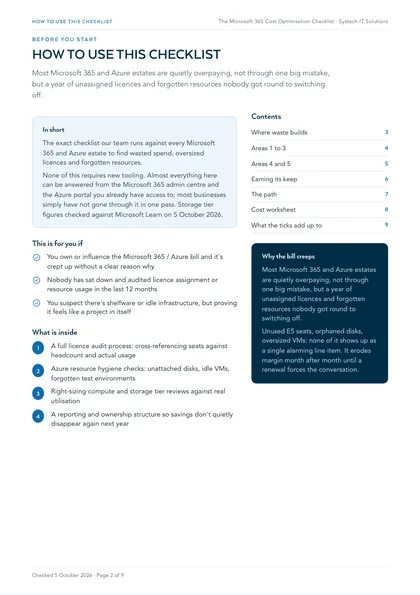
Unused E5 seats, orphaned disks, oversized VMs: none of it shows up as a single alarming line item, it just erodes margin month after month until a renewal forces the conversation. The audit is the easy part; most businesses just haven't done it.
This is the checklist our team runs against every Microsoft 365 and Azure estate before we recommend anything, the practical audit that finds oversized licences, idle resources and forgotten spend. Work through it section by section with whoever manages your tenant and subscriptions, and be honest about the boxes you can't confidently tick.
None of this requires new tooling. Almost everything here can be answered from the Microsoft 365 admin centre and the Azure portal you already have access to, most businesses simply haven't sat down and gone through it in one pass.
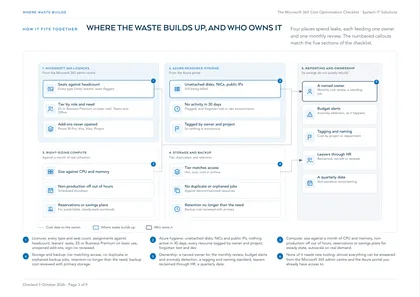
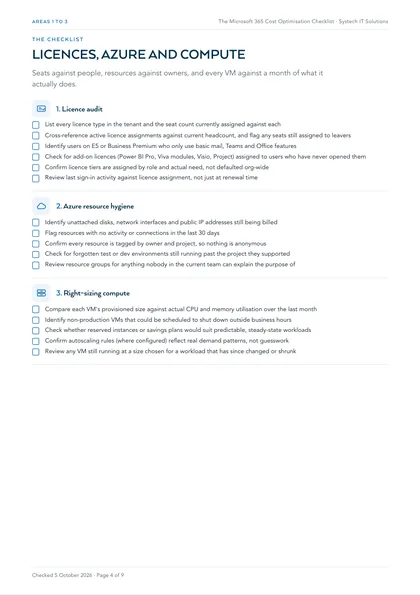
1. Licence audit
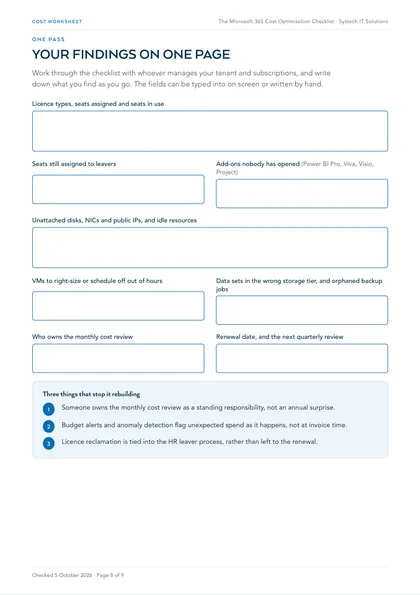
- List every licence type in the tenant and the seat count currently assigned against each
- Cross-reference active licence assignments against current headcount, and flag any seats still assigned to leavers
- Identify users on E5 or Business Premium who only use basic mail, Teams and Office features
- Check for add-on licences (Power BI Pro, Viva modules, Visio, Project) assigned to users who have never opened them
- Confirm licence tiers are assigned by role and actual need, not defaulted org-wide
- Review last sign-in activity against licence assignment, not just at renewal time
2. Azure resource hygiene
- Identify unattached disks, network interfaces and public IP addresses still being billed
- Flag resources with no activity or connections in the last 30 days
- Confirm every resource is tagged by owner and project, so nothing is anonymous
- Check for forgotten test or dev environments still running past the project they supported
- Review resource groups for anything nobody in the current team can explain the purpose of
3. Right-sizing compute
- Compare each VM's provisioned size against actual CPU and memory utilisation over the last month
- Identify non-production VMs that could be scheduled to shut down outside business hours
- Check whether reserved instances or savings plans would suit predictable, steady-state workloads
- Confirm autoscaling rules (where configured) reflect real demand patterns, not guesswork
- Review any VM still running at a size chosen for a workload that has since changed or shrunk
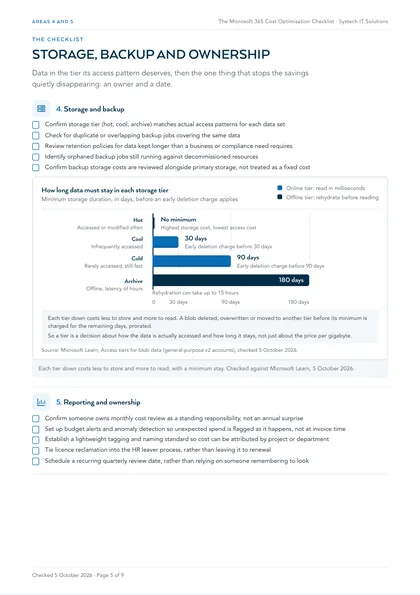
4. Storage and backup
- Confirm storage tier (hot, cool, archive) matches actual access patterns for each data set
- Check for duplicate or overlapping backup jobs covering the same data
- Review retention policies for data kept longer than a business or compliance need requires
- Identify orphaned backup jobs still running against decommissioned resources
- Confirm backup storage costs are reviewed alongside primary storage, not treated as a fixed cost
5. Reporting and ownership
- Confirm someone owns monthly cost review as a standing responsibility, not an annual surprise
- Set up budget alerts and anomaly detection so unexpected spend is flagged as it happens, not at invoice time
- Establish a lightweight tagging and naming standard so cost can be attributed by project or department
- Tie licence reclamation into the HR leaver process, rather than leaving it to renewal
- Schedule a recurring quarterly review date, rather than relying on someone remembering to look
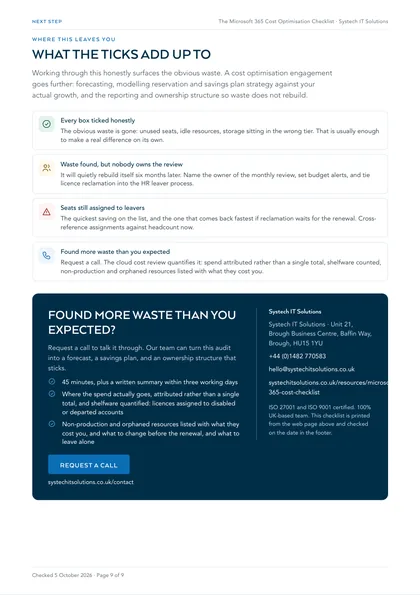
Where this leaves you
Working through this checklist honestly will surface the obvious waste in most estates, unused seats, idle resources, storage sitting in the wrong tier. That's usually enough to make a real difference on its own. A proper cost optimisation engagement goes further: forecasting future spend, modelling reservation and savings plan strategy against your actual growth, and building the reporting and ownership structure so waste doesn't quietly rebuild itself six months later. That's the piece Systech's cost optimisation service is built to handle, alongside the audit above.
Every box ticked honestly
The obvious waste is gone: unused seats, idle resources, storage sitting in the wrong tier. That is usually enough to make a real difference on its own.
Waste found, but nobody owns the review
It will quietly rebuild itself six months later. Name the owner of the monthly review, set budget alerts, and tie licence reclamation into the HR leaver process.
Seats still assigned to leavers
The quickest saving on the list, and the one that comes back fastest if reclamation waits for the renewal. Cross-reference assignments against headcount now.
Found more waste than you expected
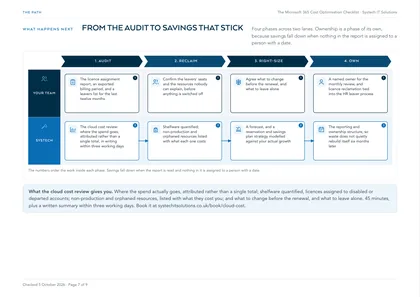
Request a call. The cloud cost review quantifies it: spend attributed rather than a single total, shelfware counted, non-production and orphaned resources listed with what they cost you.
This is one of a set. The rest, covering AI readiness, security, cost, compliance and device management in the same format, are listed on all our free checklists and assessments.