
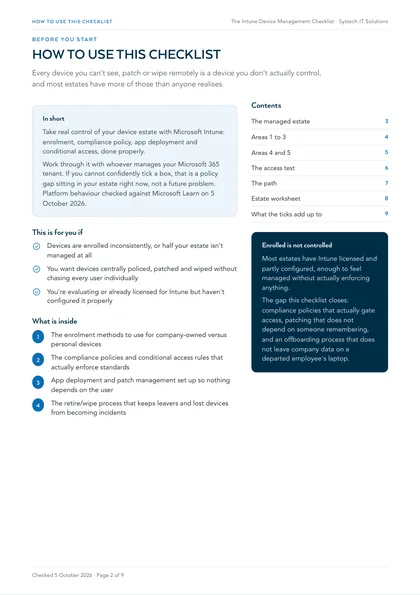
This is for you if
- Devices are enrolled inconsistently, or half your estate isn't managed at all
- You want devices centrally policed, patched and wiped without chasing every user individually
- You're evaluating or already licensed for Intune but haven't configured it properly
An unmanaged laptop is a laptop that can be lost, stolen, or compromised with no way to enforce encryption, wipe it remotely, or even prove what state it was in. Ad hoc device management isn't a smaller version of this problem, it's the same problem with worse visibility.
Central device management isn't about locking devices down for the sake of it, it's about being able to see, patch, police and wipe every device in your estate without chasing individual users. This checklist covers what a properly configured Intune setup actually includes.
Work through it with whoever manages your Microsoft 365 tenant. If you can't confidently tick a box, that's a policy gap sitting in your estate right now, not a future problem.
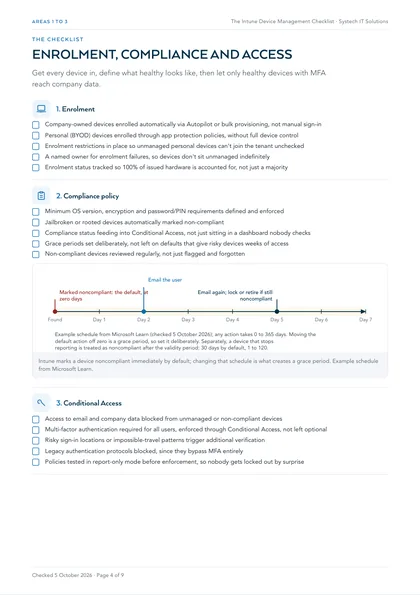
1. Enrolment
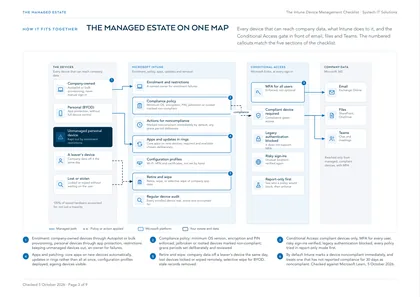
- Company-owned devices enrolled automatically via Autopilot or bulk provisioning, not manual sign-in
- Personal (BYOD) devices enrolled through app protection policies, without full device control
- Enrolment restrictions in place so unmanaged personal devices can't join the tenant unchecked
- A named owner for enrolment failures, so devices don't sit unmanaged indefinitely
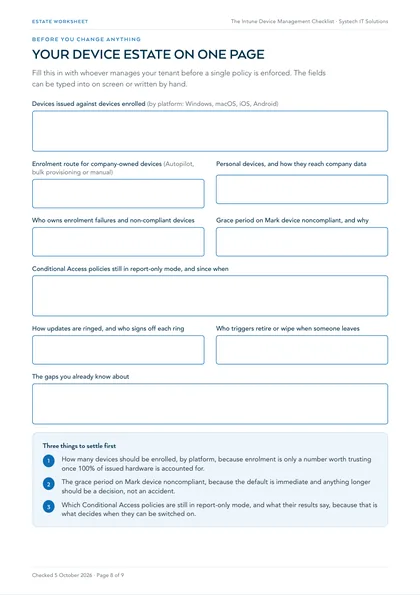
- Enrolment status tracked so 100% of issued hardware is accounted for, not just a majority
2. Compliance policy
- Minimum OS version, encryption and password/PIN requirements defined and enforced
- Jailbroken or rooted devices automatically marked non-compliant
- Compliance status feeding into Conditional Access, not just sitting in a dashboard nobody checks
- Grace periods set deliberately, not left on defaults that give risky devices weeks of access
- Non-compliant devices reviewed regularly, not just flagged and forgotten
3. Conditional Access
- Access to email and company data blocked from unmanaged or non-compliant devices
- Multi-factor authentication required for all users, enforced through Conditional Access, not left optional
- Risky sign-in locations or impossible-travel patterns trigger additional verification
- Legacy authentication protocols blocked, since they bypass MFA entirely
- Policies tested in report-only mode before enforcement, so nobody gets locked out by surprise
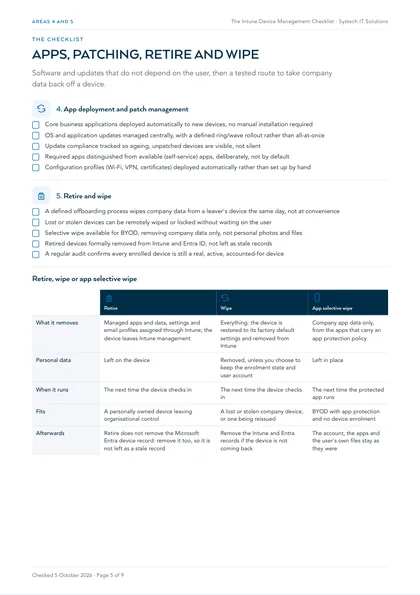
4. App deployment and patch management
- Core business applications deployed automatically to new devices, no manual installation required
- OS and application updates managed centrally, with a defined ring/wave rollout rather than all-at-once
- Update compliance tracked so ageing, unpatched devices are visible, not silent
- Required apps distinguished from available (self-service) apps, deliberately, not by default
- Configuration profiles (Wi-Fi, VPN, certificates) deployed automatically rather than set up by hand
5. Retire and wipe
- A defined offboarding process wipes company data from a leaver's device the same day, not at convenience
- Lost or stolen devices can be remotely wiped or locked without waiting on the user
- Selective wipe available for BYOD, removing company data only, not personal photos and files
- Retired devices formally removed from Intune and Entra ID, not left as stale records
- A regular audit confirms every enrolled device is still a real, active, accounted-for device
| Retire | Wipe | App selective wipe | |
|---|---|---|---|
| What it removes | Managed apps and data, settings and email profiles assigned through Intune; the device leaves Intune management | Everything: the device is restored to its factory default settings and removed from Intune | Company app data only, from the apps that carry an app protection policy |
| Personal data | Left on the device | Removed, unless you choose to keep the enrolment state and user account | Left in place |
| When it runs | The next time the device checks in | The next time the device checks in | The next time the protected app runs |
| Fits | A personally owned device leaving organisational control | A lost or stolen company device, or one being reissued | BYOD with app protection and no device enrolment |
| Afterwards | Retire does not remove the Microsoft Entra device record: remove it too, so it is not left as a stale record | Remove the Intune and Entra records if the device is not coming back | The account, the apps and the user's own files stay as they were |
Where this leaves you
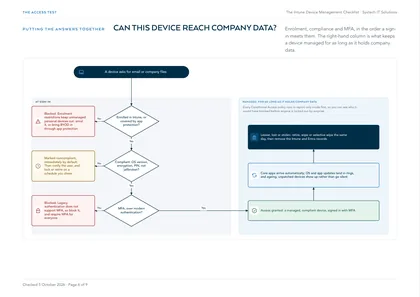
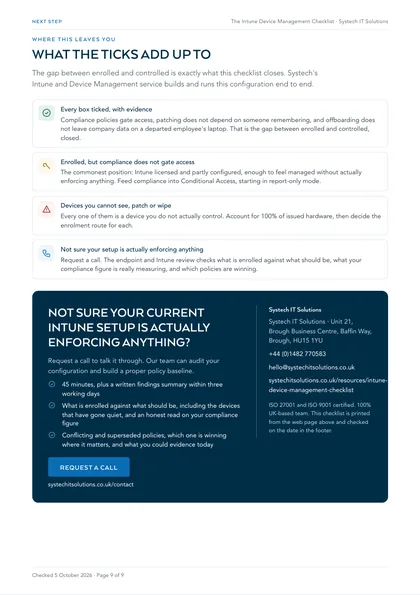
Most estates have Intune licensed and partly configured, enough to feel managed without actually enforcing anything. The gap between "enrolled" and "controlled" is exactly what this checklist closes: compliance policies that actually gate access, patching that doesn't depend on someone remembering, and an offboarding process that doesn't leave company data on a departed employee's laptop. Systech's Intune and device management service builds and runs this configuration end to end.
Every box ticked, with evidence
Compliance policies gate access, patching does not depend on someone remembering, and offboarding does not leave company data on a departed employee's laptop. That is the gap between enrolled and controlled, closed.
Enrolled, but compliance does not gate access
The commonest position: Intune licensed and partly configured, enough to feel managed without actually enforcing anything. Feed compliance into Conditional Access, starting in report-only mode.
Devices you cannot see, patch or wipe
Every one of them is a device you do not actually control. Account for 100% of issued hardware, then decide the enrolment route for each.
Not sure your setup is actually enforcing anything
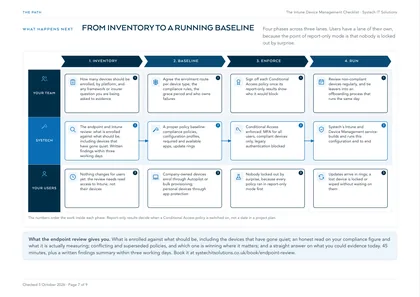
Request a call. The endpoint and Intune review checks what is enrolled against what should be, what your compliance figure is really measuring, and which policies are winning.