+44 (0)1482 770583
 hello@systechitsolutions.co.uk

Every IT support company's website says broadly the same things. Responsive, proactive, trusted, UK-based, 24/7. The words are free, which is why they are all there. This guide is about the questions that are not free to answer, and what the answers tell you.
In short: Price is the worst first filter, because per-user rates are only comparable once you know what sits inside them. Fix the inclusion list first, then price it with every provider. The questions that separate providers are: what is in the rate and what is billed on top, what the coverage hours are and who physically answers, where the service desk is, what certifications can be verified independently, what the exit terms are, and who will actually do the work. Providers that answer all six plainly are worth shortlisting; the ones that will not answer some of them have told you something useful.
We are an IT support company, so read this accordingly. What follows is the set of questions we think buyers should ask, which we have written so that they work as well against us as against anyone else. Where we have a limitation, it is named.
Start with the inclusion list, not the price
The single most common mistake in this purchase is comparing per-user rates before establishing what a per-user rate covers.
"Fully managed IT" is not a defined term. It can describe a service where endpoint protection, patching, monitored backup, 24/7 cover and firewall management are all inside the monthly figure, and it can equally describe a service desk with each of those added later as line items. Both providers will quote per user per month, both will use similar language, and the numbers will not be describing the same product.
The fix is straightforward and puts you back in control of the comparison. Write down the specific list of things you want covered before speaking to anyone. At minimum: service desk with defined hours, OS and application patching, endpoint protection, backup with tested restores, identity security including multi-factor authentication, and monitoring. Then ask every provider to price that same list, and to say plainly which items they have priced as included and which as extra.
Once the lists match, the numbers mean something. Our own starting figure and the exact contents of it are on the pricing page, published for the same reason: an unpublished price cannot be compared.
The six questions
1. What is inside the rate, and what is billed on top?
Ask for both lists explicitly. The second list matters as much as the first, and should cover project work, on-site attendance, out-of-hours work, and user onboarding and offboarding, which is a recurring cost most businesses forget to ask about and which adds up quickly in a growing team.
2. What are the coverage hours, and who answers within them?
"24/7" is doing a lot of work in this market. It can mean a UK engineer who will start working on the problem, or an answering service that logs a ticket for the morning. Both may be reasonable for your risk profile. They are very different purchases, and the distinction is rarely visible on a website. Ask what happens specifically at 2am on a Sunday, and who the person answering is.
3. Where is the service desk?
A straightforward factual question with a straightforward answer. Offshore delivery is not inherently worse and is often what makes a low rate possible, but it should be a decision you make knowingly rather than discover during the first incident. Ours is 100% UK-based, which is part of why our rate sits where it does.
4. What certifications do you hold, and can I check them?
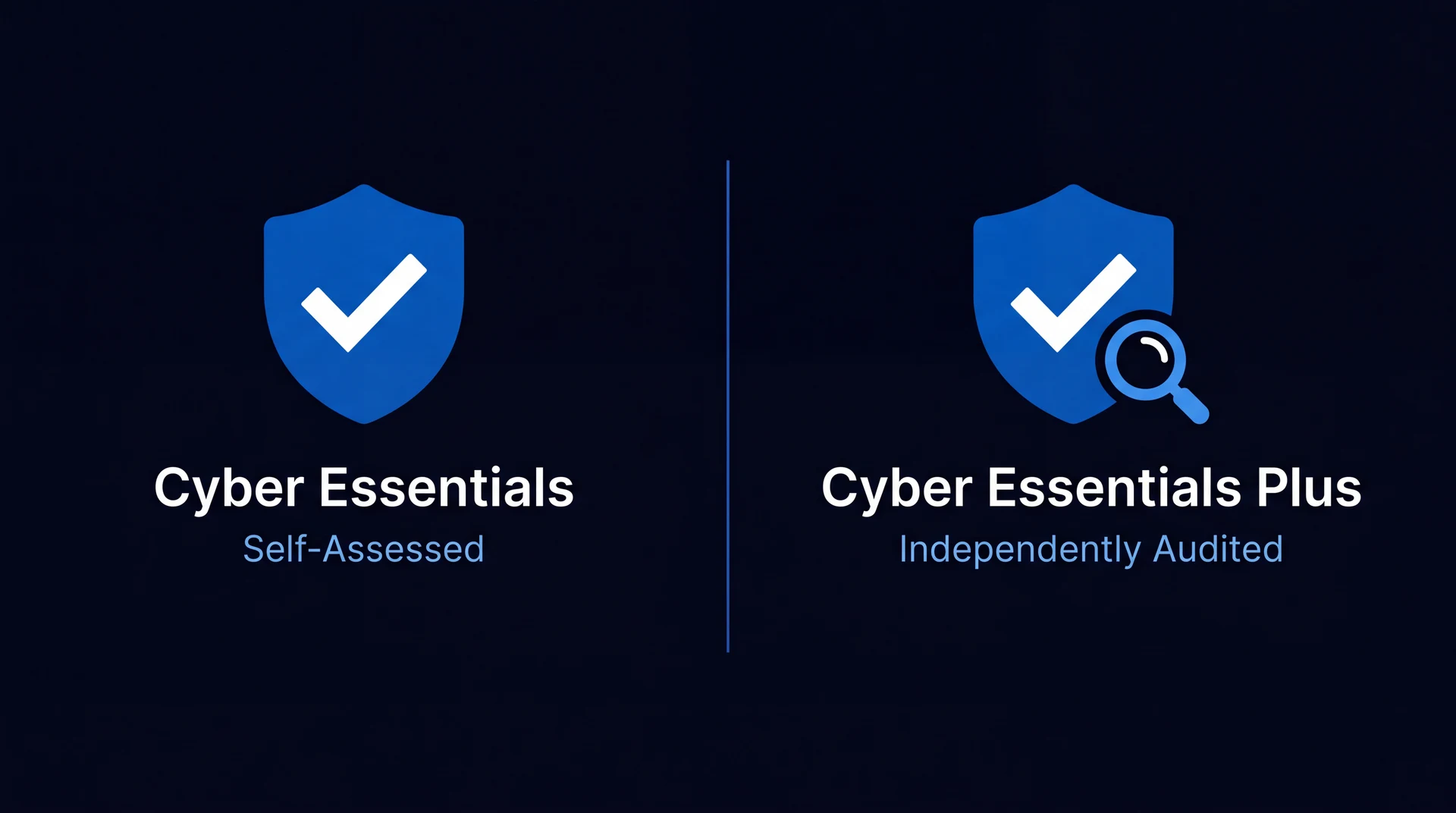
Certifications are a genuine signal, but only the verifiable ones. ISO 27001 and ISO 9001 say something about how the provider runs itself. Cyber Essentials and Cyber Essentials Plus say something about baseline security hygiene, and the difference between the two is meaningful rather than cosmetic, which we have written up in Cyber Essentials vs Cyber Essentials Plus. Microsoft partner status says something about depth in that stack.
The important part is the checking. Every one of these has a public registry. A logo on a footer is not evidence, and asking for the certificate number is a reasonable request that a certified provider will answer without hesitation. Ours are listed with their registry references on the certifications page.
5. What are the exit terms?
Ask before signing, because the answer is much harder to get afterwards. Notice period, what happens to your data, whether you retain administrative ownership of your own Microsoft tenant, and whether the documentation of your estate leaves with you.
The tenant ownership question is the one worth being firm about. Your Microsoft 365 tenant should be yours, with the provider holding delegated access to it, rather than the provider owning the tenant your business runs inside. The second arrangement is not unheard of and makes leaving substantially harder.
6. Who will actually do the work?
The person presenting is frequently not the person delivering. Ask who your day-to-day contact will be, what happens when they are unavailable, and how many clients a typical engineer carries. A provider stretched thin has the same capacity problem as an overloaded internal hire, just less visibly.
"A provider that answers all six of these plainly, including the answers that are not flattering, is usually a better bet than one with a lower quote and a smooth response to five of them."
Warning signs
None of these is disqualifying alone. Two or three together usually are.
- The rate cannot be broken down. If a provider will not say what is inside the number, there is a reason.
- Certifications with no registry entry. Logos are free.
- A 24/7 claim that dissolves under a follow-up question. Ask who is awake and where.
- Exit terms deferred until after signature. This is the point of maximum leverage for you and they know it.
- A proposal to replace your internal IT person that does not address knowledge transfer. The context that person holds is the hardest thing to replace, and a provider that has not thought about it has not thought about your estate.
- No price until the third meeting. Scoping genuinely is required for a firm quote on a complex estate. A refusal to indicate any figure at all is a negotiating tactic.
Local, regional or national
This gets more weight in the decision than it usually deserves, in both directions.
Physical proximity genuinely matters for a specific and fairly short list: cabling and network hardware in a new or refitted premises, switch, firewall and access point installs, comms room and server decommissioning, office moves, hands-on device rollouts, and face-to-face review meetings or workshops. For that work, a provider an hour away is meaningfully better than one four hours away.
For everything else, the distance is close to irrelevant, because the work happens remotely and the person fixing it starts within seconds rather than after a drive. Microsoft 365, Azure, identity, security and device management are all delivered identically wherever the engineer sits.
The honest limit of our own model, which we say on every location page: if what you want is somebody physically in your building most days handling desk-side requests as they arise, an internal hire or a provider with staff sitting in your town will serve you better than we will. We are based in Brough, near Hull, and cover Yorkshire on site and the rest of the UK remotely. The capital is where this distinction gets argued hardest, so we have written out how it works for clients 200 miles away in choosing IT support in London, including what we will and will not claim about attending a site there.
Normalising two quotes
When you have two proposals and they look close:
- Take the cheaper quote's inclusion list as the baseline.
- Add every item the more expensive quote includes that the cheaper one does not.
- Ask the cheaper provider to price those additions.
- Compare again.
Very often the gap narrows sharply or reverses, because the cheaper quote was a smaller service rather than better value. Then compare the things a spreadsheet will not show: coverage hours and who answers, notice period and exit terms, where the desk is, and who is accountable when something falls between two suppliers.
Before you start looking at all
One question worth answering first, because it changes what you are shopping for: do you already have someone doing IT internally? If so, the decision is not simply which provider to hire but whether one should replace, supplement or work alongside them, and the three arrangements have very different economics. That is covered in MSP vs internal IT.
If you are choosing a support model from scratch, the underlying comparison of managed IT, in-house and break-fix is in managed IT vs in-house IT vs break-fix. And if the acronyms in the proposals are the confusing part, MSP vs CSP vs MSSP is the shorter read, with everything else a quote is likely to throw at you defined in plain English in our IT support glossary.
This is one of a series. The rest, covering licensing, desktops, support models and certification in the same format, are listed on all our IT comparison guides.
Frequently asked
What questions should I ask an IT support company before signing?
Six cover most of the ground. What exactly is inside the per-user rate, and what is billed on top. What are the coverage hours, and is the person answering out of hours an engineer or a service that raises a ticket for the morning. Where is the service desk physically located. What certifications do you hold, and can I verify them independently. What is the notice period, and what happens to our data, tenant access and documentation if we leave. And who specifically will be doing the work, given that the person selling is rarely the person delivering. A provider that answers all six plainly is usually worth shortlisting largely regardless of which quote is lower.
How much should IT support cost per user in the UK?
There is no single right figure, because the spread between providers reflects genuinely different inclusion lists rather than different margins on the same service. A rate that covers only a service desk and a rate that covers the desk plus endpoint protection, patching, backup and 24/7 monitoring are not comparable numbers even though both are quoted per user per month. The useful approach is to fix the inclusions first, write down the specific list of things you want covered, then ask every provider to price that same list. Systech publishes its own starting figure and exactly what sits inside it, which is the detail that makes any published price meaningful.
Should I choose a local IT support company or a national one?
It depends far more on what you run than on where the provider parks. A national provider brings scale and round-the-clock cover but accountability can be harder to pin down. A one-person local outfit is personal and affordable until they are ill or on holiday. A regional specialist sits between the two. The questions that actually matter are the same for all three: is the service desk UK-based, who picks up outside working hours, how deep does the technical expertise genuinely go, and are they certified to standards you can verify. Physical proximity earns its keep for cabling, hardware installs, office moves and face-to-face review meetings, and matters much less for everything else.
What are the warning signs when choosing an IT provider?
A refusal to say what is inside the rate is the clearest one. Others: a 24/7 claim that cannot be explained in terms of who is awake and where; certifications displayed as logos with no registry entry to check; unwillingness to state the notice period and exit terms before signing; a proposal that replaces your internal IT person without addressing what happens to the knowledge they hold; and a quote that arrives only after several meetings, which is a negotiating position rather than a scoping requirement. None of these is proof of a bad provider on its own. Two or three together usually is.
How do I compare two IT support quotes that look similar?
Normalise them before comparing. Take the cheaper quote's inclusion list, add every item the more expensive quote includes that the cheaper one does not, and ask the cheaper provider to price those additions. Very often the gap closes or reverses. Then compare the non-price terms that will not show up in a spreadsheet: coverage hours and who actually answers, response commitments, notice period and exit terms, and who is accountable when something falls between two parties. The quote that looked cheaper frequently turns out to be a different service rather than a better price for the same one.