

This is for you if
- You are about to give notice to your IT provider, or have just given it
- You are not certain who owns the Microsoft tenant, the domain registration or the admin accounts
- Licences, backups or monitoring tools were set up by the outgoing provider, in its accounts
- You want the new provider working before the old one's access is removed
A provider change that is run as a final-week conversation leaves gaps nobody notices until they matter: a domain that renews in someone else's name, backups deleted with the old contract, an admin account nobody can reach, alerts going to a mailbox nobody reads. The fix is not more effort at the end. It is the right things in the right order, starting before notice is given.
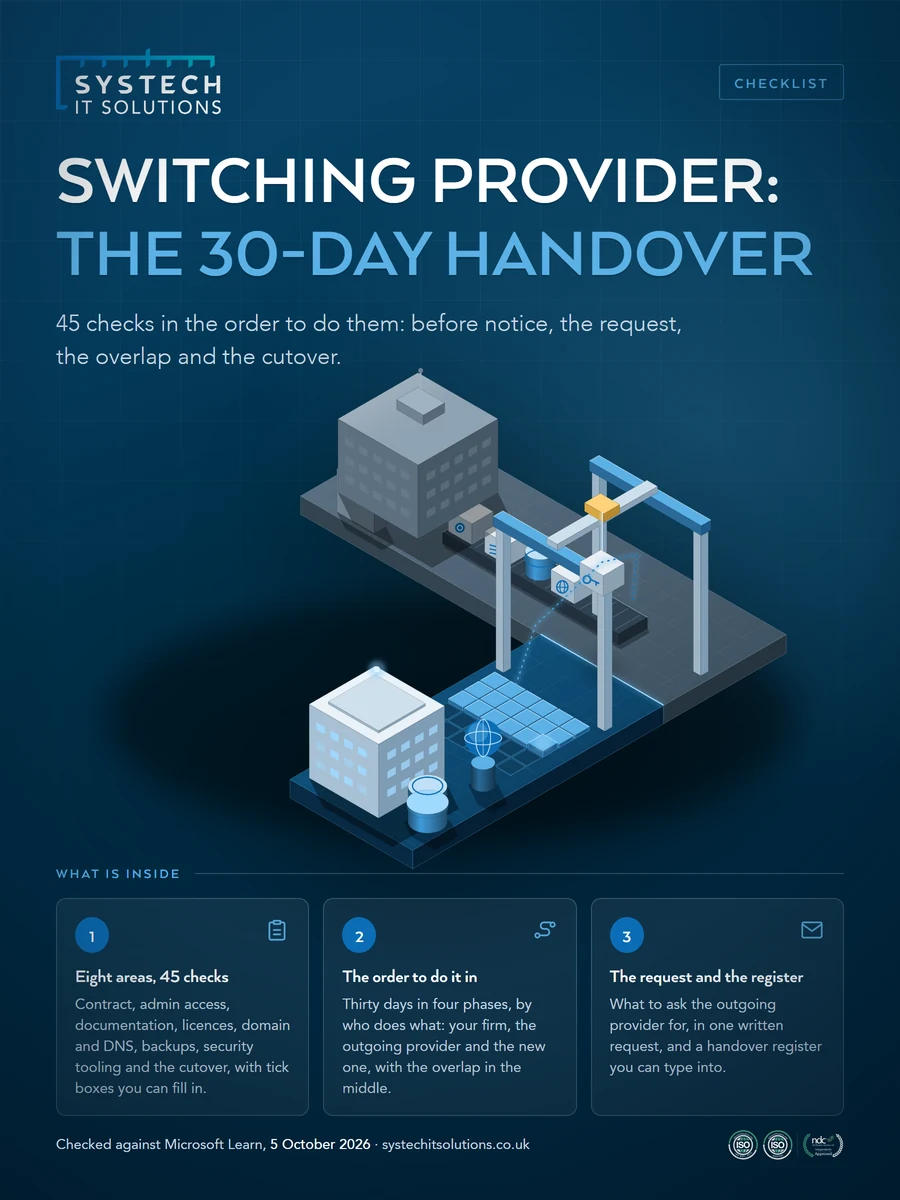
This checklist puts every step of an IT provider handover in the order to do it, starting before notice is given: the contract, admin access you own, documentation, licences, domain and DNS, backups, security tooling and the cutover.
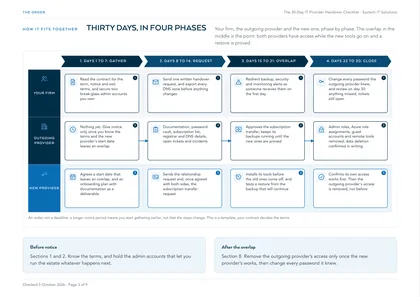
Work through it in four phases over about thirty days: sections 1 and 2 before notice, 3 to 5 while you request the handover, 6 and 7 in the overlap when both providers have access, and 8 at the end. The Microsoft partner and subscription transfer steps were checked against Microsoft Learn on 5 October 2026. This is a template, not legal advice: adapt it to your organisation, and let your contract decide the terms.
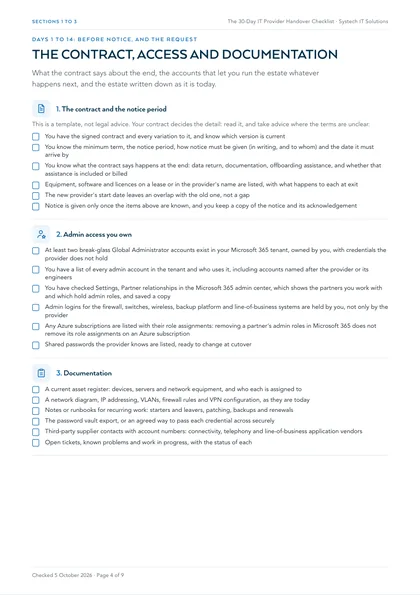
1. The contract and the notice period
This is a template, not legal advice. Your contract decides the detail: read it, and take advice where the terms are unclear.
- You have the signed contract and every variation to it, and know which version is current
- You know the minimum term, the notice period, how notice must be given (in writing, and to whom) and the date it must arrive by
- You know what the contract says happens at the end: data return, documentation, offboarding assistance, and whether that assistance is included or billed
- Equipment, software and licences on a lease or in the provider's name are listed, with what happens to each at exit
- The new provider's start date leaves an overlap with the old one, not a gap
- Notice is given only once the items above are known, and you keep a copy of the notice and its acknowledgement
2. Admin access you own
- At least two break-glass Global Administrator accounts exist in your Microsoft 365 tenant, owned by you, with credentials the provider does not hold
- You have a list of every admin account in the tenant and who uses it, including accounts named after the provider or its engineers
- You have checked Settings, Partner relationships in the Microsoft 365 admin center, which shows the partners you work with and which hold admin roles, and saved a copy
- Admin logins for the firewall, switches, wireless, backup platform and line-of-business systems are held by you, not only by the provider
- Any Azure subscriptions are listed with their role assignments: removing a partner's admin roles in Microsoft 365 does not remove its role assignments on an Azure subscription
- Shared passwords the provider knows are listed, ready to change at cutover
3. Documentation
- A current asset register: devices, servers and network equipment, and who each is assigned to
- A network diagram, IP addressing, VLANs, firewall rules and VPN configuration, as they are today
- Notes or runbooks for recurring work: starters and leavers, patching, backups and renewals
- The password vault export, or an agreed way to pass each credential across securely
- Third-party supplier contacts with account numbers: connectivity, telephony and line-of-business application vendors
- Open tickets, known problems and work in progress, with the status of each
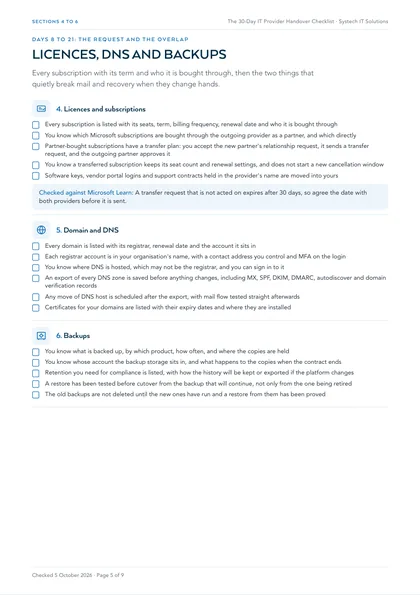
4. Licences and subscriptions
- Every subscription is listed with its seats, term, billing frequency, renewal date and who it is bought through
- You know which Microsoft subscriptions are bought through the outgoing provider as a partner, and which directly
- Partner-bought subscriptions have a transfer plan: you accept the new partner's relationship request, it sends a transfer request, and the outgoing partner approves it
- You know a transferred subscription keeps its seat count and renewal settings, and does not start a new cancellation window
- Software keys, vendor portal logins and support contracts held in the provider's name are moved into yours
Checked against Microsoft Learn: A transfer request that is not acted on expires after 30 days, so agree the date with both providers before it is sent.
5. Domain and DNS
- Every domain is listed with its registrar, renewal date and the account it sits in
- Each registrar account is in your organisation's name, with a contact address you control and MFA on the login
- You know where DNS is hosted, which may not be the registrar, and you can sign in to it
- An export of every DNS zone is saved before anything changes, including MX, SPF, DKIM, DMARC, autodiscover and domain verification records
- Any move of DNS host is scheduled after the export, with mail flow tested straight afterwards
- Certificates for your domains are listed with their expiry dates and where they are installed
6. Backups
- You know what is backed up, by which product, how often, and where the copies are held
- You know whose account the backup storage sits in, and what happens to the copies when the contract ends
- Retention you need for compliance is listed, with how the history will be kept or exported if the platform changes
- A restore has been tested before cutover from the backup that will continue, not only from the one being retired
- The old backups are not deleted until the new ones have run and a restore from them has been proved
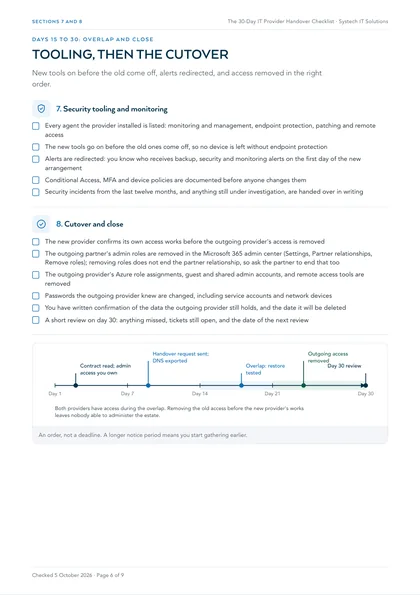
7. Security tooling and monitoring
- Every agent the provider installed is listed: monitoring and management, endpoint protection, patching and remote access
- The new tools go on before the old ones come off, so no device is left without endpoint protection
- Alerts are redirected: you know who receives backup, security and monitoring alerts on the first day of the new arrangement
- Conditional Access, MFA and device policies are documented before anyone changes them
- Security incidents from the last twelve months, and anything still under investigation, are handed over in writing
8. Cutover and close
- The new provider confirms its own access works before the outgoing provider's access is removed
- The outgoing partner's admin roles are removed in the Microsoft 365 admin center (Settings, Partner relationships, Remove roles); removing roles does not end the partner relationship, so ask the partner to end that too
- The outgoing provider's Azure role assignments, guest and shared admin accounts, and remote access tools are removed
- Passwords the outgoing provider knew are changed, including service accounts and network devices
- You have written confirmation of the data the outgoing provider still holds, and the date it will be deleted
- A short review on day 30: anything missed, tickets still open, and the date of the next review
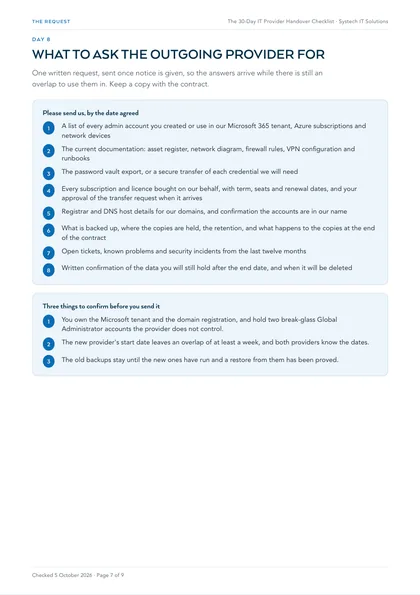
What to ask the outgoing provider for
Send one written request once notice is given, so the answers arrive while there is still an overlap to use them in. Keep a copy with the contract.
- A list of every admin account you created or use in our Microsoft 365 tenant, Azure subscriptions and network devices
- The current documentation: asset register, network diagram, firewall rules, VPN configuration and runbooks
- The password vault export, or a secure transfer of each credential we will need
- Every subscription and licence bought on our behalf, with term, seats and renewal dates, and your approval of the transfer request when it arrives
- Registrar and DNS host details for our domains, and confirmation the accounts are in our name
- What is backed up, where the copies are held, the retention, and what happens to the copies at the end of the contract
- Open tickets, known problems and security incidents from the last twelve months
- Written confirmation of the data you will still hold after the end date, and when it will be deleted
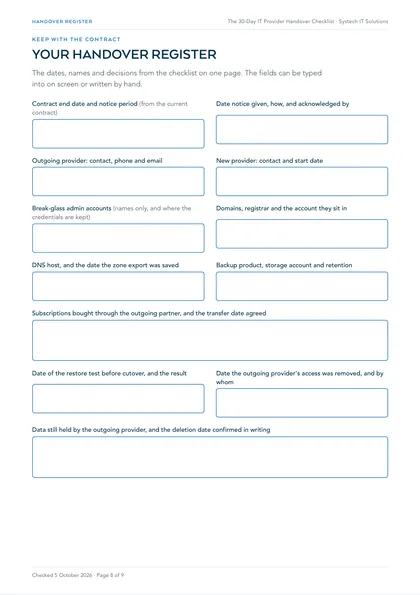
Your handover register
The dates, names and decisions from the checklist on one page. The PDF version can be typed into on screen.
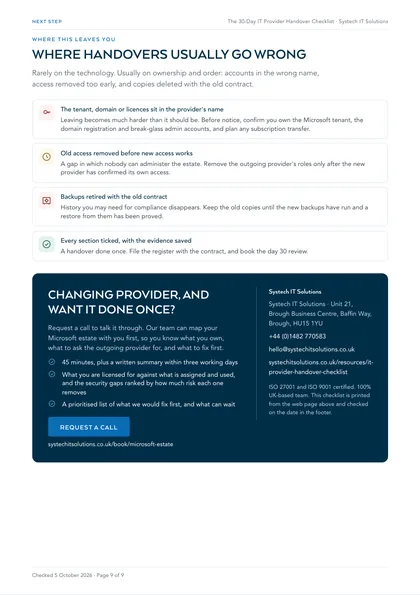
Where handovers usually go wrong
Rarely on the technology. Usually on ownership and order: accounts in the wrong name, access removed too early, and copies deleted with the old contract. If you would rather know what you own before you give notice, our Microsoft estate review maps what you are licensed for, what is switched on and where the gaps are.
The tenant, domain or licences sit in the provider's name
Leaving becomes much harder than it should be. Before notice, confirm you own the Microsoft tenant, the domain registration and break-glass admin accounts, and plan any subscription transfer.
Old access removed before new access works
A gap in which nobody can administer the estate. Remove the outgoing provider's roles only after the new provider has confirmed its own access.
Backups retired with the old contract
History you may need for compliance disappears. Keep the old copies until the new backups have run and a restore from them has been proved.
Every section ticked, with the evidence saved
A handover done once. File the register with the contract, and book the day 30 review.
Sources
Checked on 5 October 2026:
- Microsoft Learn: Manage Microsoft-certified solution provider partner relationships
- Microsoft Learn: Review partner administrative privileges
- Microsoft Learn: Get delegated administration privileges from a customer (Azure role assignments)
- Microsoft Learn: Transfer new commerce license-based subscriptions between CSP partners
The ownership and exit questions come from our guide to choosing an IT support company, and comparing the proposals themselves is covered by the IT support quote comparison scorecard. The rest of our checklists and templates are listed on all our resources.
Frequently asked
How long does it take to switch IT provider?
Plan on about thirty days of active work once notice is given, with the checks on the contract and admin access done before it. Your notice period may be longer, in which case start gathering earlier rather than compressing the steps. The point that matters most is an overlap in the middle, when both providers have access while the new tools go on and a restore is proved.
What should we ask the outgoing IT provider for?
In one written request: every admin account they created or use, current documentation, the password vault or a secure transfer of credentials, every subscription bought on your behalf with its term and renewal date, registrar and DNS details, what is backed up and where, open tickets and recent security incidents, and written confirmation of the data they will still hold after the end date and when it will be deleted.
How do we remove the old provider's access to Microsoft 365?
In the Microsoft 365 admin center, go to Settings, Partner relationships, select the partner and choose Remove roles. Microsoft notes that removing roles does not end the partner relationship, so ask the partner to end that too. Removing a partner's roles there does not remove its role assignments on any Azure subscription, so check those separately, along with guest accounts, shared admin accounts and remote access tools. Do it only after the new provider has confirmed its own access works.
Can our Microsoft licences move to the new provider?
Usually, if they were bought through the outgoing provider as a Microsoft partner. You accept the new partner's relationship request, the new partner sends a transfer request, and the outgoing partner approves it. Microsoft says a transferred subscription keeps its seat count and renewal settings and does not get a new cancellation window, and that a transfer request not acted on expires after 30 days.