+44 (0)1482 770583
 hello@systechitsolutions.co.uk
There is a particular kind of server that nobody wants to touch. It runs something important, it has been up for four hundred days, and the person who built it left in 2021. If it is running Windows Server 2016, you now have a date in the diary whether you wanted one or not.
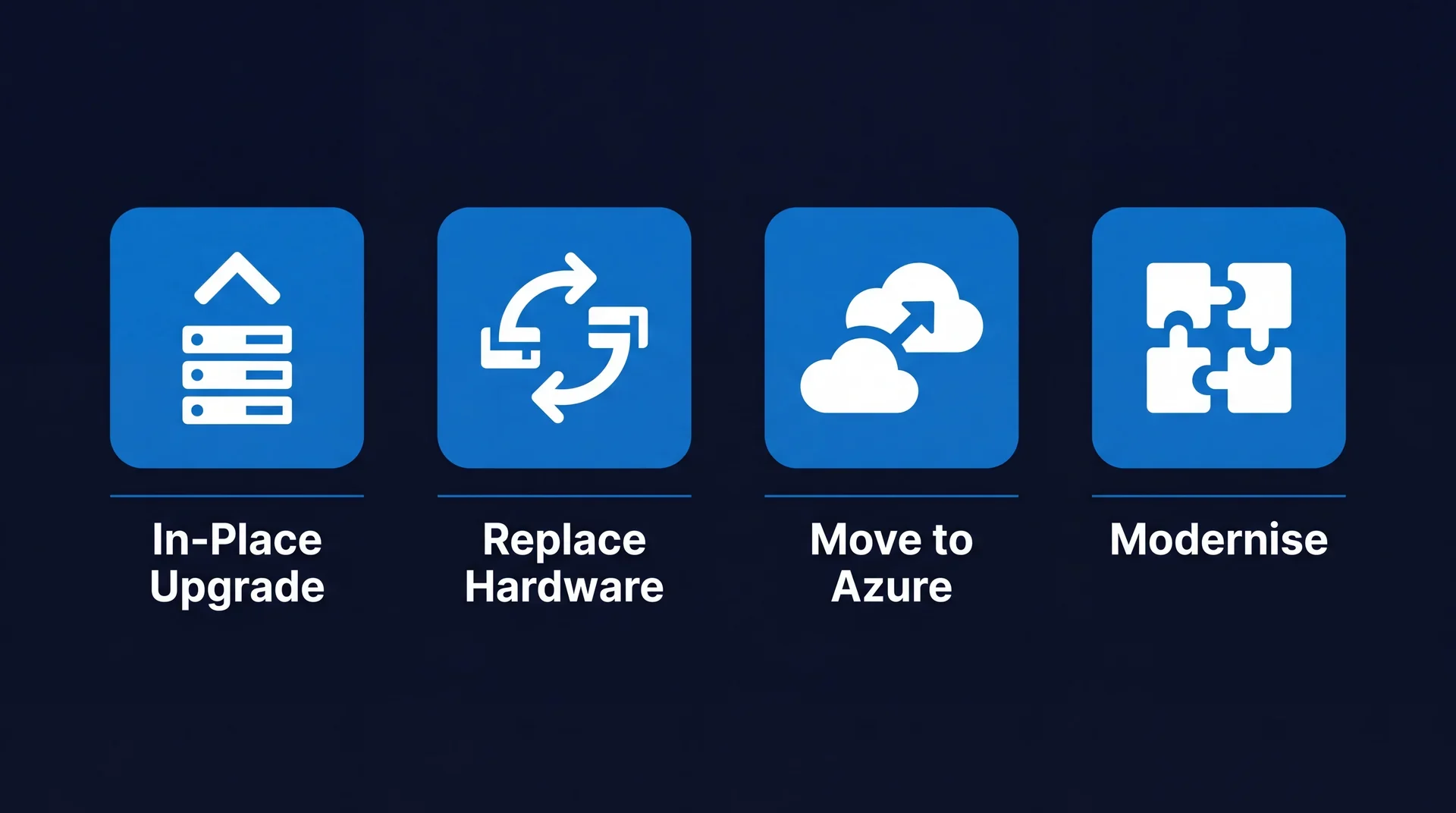
In short: Extended support for Windows Server 2016 ends on 12 January 2027. After that there are no security updates outside the paid Extended Security Updates programme, and the long-standing trick of moving a server to Azure to get ESU at no extra cost no longer applies to new ESU offerings from 1 April 2026. You have four realistic routes: in-place upgrade, replace the hardware, move to Azure, or modernise the workload away from a server entirely. Start with discovery, because that is the stage that overruns.
What actually happens on 12 January 2027?
Nothing dramatic, which is precisely the problem. The server keeps running. Nobody gets an alert. What stops is the flow of security updates.
Mainstream support for Server 2016 ended on 11 January 2022, so these machines have been on security-fixes-only for several years already. January 2027 removes that last thread. From that date, any newly discovered vulnerability in Windows Server 2016 stays unpatched permanently unless you are paying for Extended Security Updates.
That matters more than it used to, because Server 2016 boxes tend to hold the roles you would least like to lose: domain controllers, file servers, the SQL instance behind a line-of-business application, the print server everybody forgot about. An unpatched domain controller is not a tidy, contained risk.
There is also a compliance dimension that catches people out. Cyber Essentials requires that software is supported and receiving security updates. An unsupported Server 2016 box in scope will fail the assessment, which means the renewal you were treating as a formality suddenly blocks a contract.
How much time do you actually have?
Less than the calendar suggests. If you work on annual budget cycles, there is realistically one more budget round between now and the deadline. Hardware lead times, vendor sign-off on line-of-business applications and a sensible testing window all sit inside that.
The practical deadline for deciding is therefore this autumn, not next. The practical deadline for starting is comfortably before Christmas.
The four routes, compared
Almost every Server 2016 estate resolves into some mix of four options. Most organisations end up using two or three across different workloads rather than picking one for everything.
| What it involves | Best for | Watch out for | |
|---|---|---|---|
| In-place upgrade | Upgrade the OS on existing hardware to a current Server release | Healthy hardware, supported apps, simple roles | Rollback risk on DCs and database hosts; needs a tested back-out plan |
| Replace hardware | New server, clean build, migrate roles and data across | Ageing hardware that is due anyway | Capital cost and lead time; you own the same problem again in five years |
| Move to Azure | Rehost the server as an Azure VM, broadly as-is | Getting out of a datacentre or off end-of-life hardware quickly | Consumption cost if left unoptimised; ESU is no longer free here |
| Modernise | Retire the server, move the workload to a managed or platform service | Web apps, file shares, databases with a clear service equivalent | Longest lead time; needs application-level work, not just infrastructure |
The instinct is usually to reach for the cheapest-looking row. That is normally the in-place upgrade, and for a healthy file server running supported software it genuinely is the right answer. It is the wrong answer for a 2016-era domain controller on 2016-era hardware, where you are stacking two risks on top of each other.
What changed about Extended Security Updates
This is the part most Server 2016 planning is still getting wrong, because the rules changed recently.
For previous end-of-support cycles, the well-worn move was to lift the server into Azure, where Extended Security Updates were included at no additional cost. It made "move to Azure" the obvious financial answer almost regardless of the technical merits.
From 1 April 2026, Microsoft moved to consistent ESU list pricing: the same list price for new ESU offerings whether you run in Azure, on-premises or in another public cloud. Some Azure-adjacent platforms such as Azure Local and Azure Stack retain no-cost ESU, but the general "rehost it and stop paying" route is closed.
"Moving to Azure may still be the right call for your Server 2016 estate. It just has to win on its own merits now, rather than on an ESU discount that no longer exists."
The practical effect is that ESU is now a straightforward annual cost wherever the server lives, and you can buy up to three years of it. That makes it useful cover for a migration that is already scheduled and genuinely tight. It makes it an expensive way to do nothing.
Where Server 2016 estates actually trip up
In our experience the technical migration is rarely what causes the overrun. Four things do.
Nobody knows what the server does. The documented purpose is "file server". The undocumented purpose includes a scheduled task that generates the month-end report, a print queue, and an SMB share hard-coded into a piece of production equipment. Discovery is not a formality.
The application vendor has not certified a current Server release. This is the single most common blocker, and it is entirely outside your control once you hit it. Ask the vendor early, in writing, before you plan anything around their software.
The server is also the thing that would let you recover. Backup infrastructure running on the platform you are migrating is a genuine tangle, and it needs sequencing carefully rather than discovering mid-cutover.
Licensing gets assumed rather than checked. Server licensing changed meaningfully between 2016 and current releases, and the CALs you hold may not cover what you are moving to. Price it properly at the planning stage, not at the purchase order.
A realistic timeline from here
If you are starting now, this shape works for most mid-sized estates:
- Discovery, two to four weeks. Every Server 2016 instance, what runs on it, who depends on it, what the vendor supports. Nothing else is reliable until this is done.
- Route decision and costing, two weeks. Per workload, not per estate. Get vendor confirmations in writing.
- Build and test, four to eight weeks. Including a genuine rollback test, not a documented intention to roll back.
- Cutover, in waves. Lowest-risk workloads first, so the team has the process bedded in before touching a domain controller.
- Decommission. Actually turn the old servers off. Estates that skip this step end up paying for and patching both.
Working back from 12 January 2027 with a sensible change freeze over Christmas, an autumn start is comfortable and a January start is not.
Getting it right the first time
The cost of this migration is decided during discovery, not during the build. Estates that get a proper inventory and honest vendor answers early tend to land on time and on budget. Estates that start with "we'll just upgrade them" tend to discover the exception that derails the plan somewhere around week six.
Systech's legacy modernisation and OS migration service covers exactly this: Windows Server 2016 discovery, route selection per workload, and the migration itself, whether that ends up on new hardware, in Azure, or retired entirely. If you would rather sanity-check your own plan than hand it over, our free assessment will tell you where the exceptions are hiding, with no obligation to act on it.
Frequently asked
When does Windows Server 2016 end of support happen?
Extended support for Windows Server 2016 ends on 12 January 2027. Mainstream support already ended on 11 January 2022, so the server has been receiving security fixes only for several years. After January 2027 there are no further security updates outside the paid Extended Security Updates programme.
Can I just buy Extended Security Updates and deal with it later?
You can buy up to three years of ESU, but it buys time rather than solving anything. It is an annual cost that rises, it covers security fixes only, and it leaves you on the same unsupported platform. Treat it as cover for a migration already scheduled, not as an alternative to one.
Is Extended Security Updates still free if I run the server in Azure?
No longer, in the way it used to be. From 1 April 2026 Microsoft moved to consistent ESU list pricing across Azure, on-premises and other clouds. The old plan of lifting a server into Azure purely to get ESU at no additional cost no longer works for new ESU offerings, so that decision now has to stand on its own merits.
Can I upgrade Windows Server 2016 in place?
Often yes, and it is the fastest route where the hardware is still healthy and the applications are supported on a current Server release. In-place upgrades carry real rollback risk on domain controllers and database hosts, so they need a tested backup and a defined back-out plan before you start.
How long does a Windows Server 2016 migration actually take?
For a small estate of a few servers with well-understood applications, six to eight weeks is realistic including testing. Where line-of-business applications need vendor sign-off, or the servers hold roles nobody has documented, plan for three to six months. The discovery stage is what usually runs long.