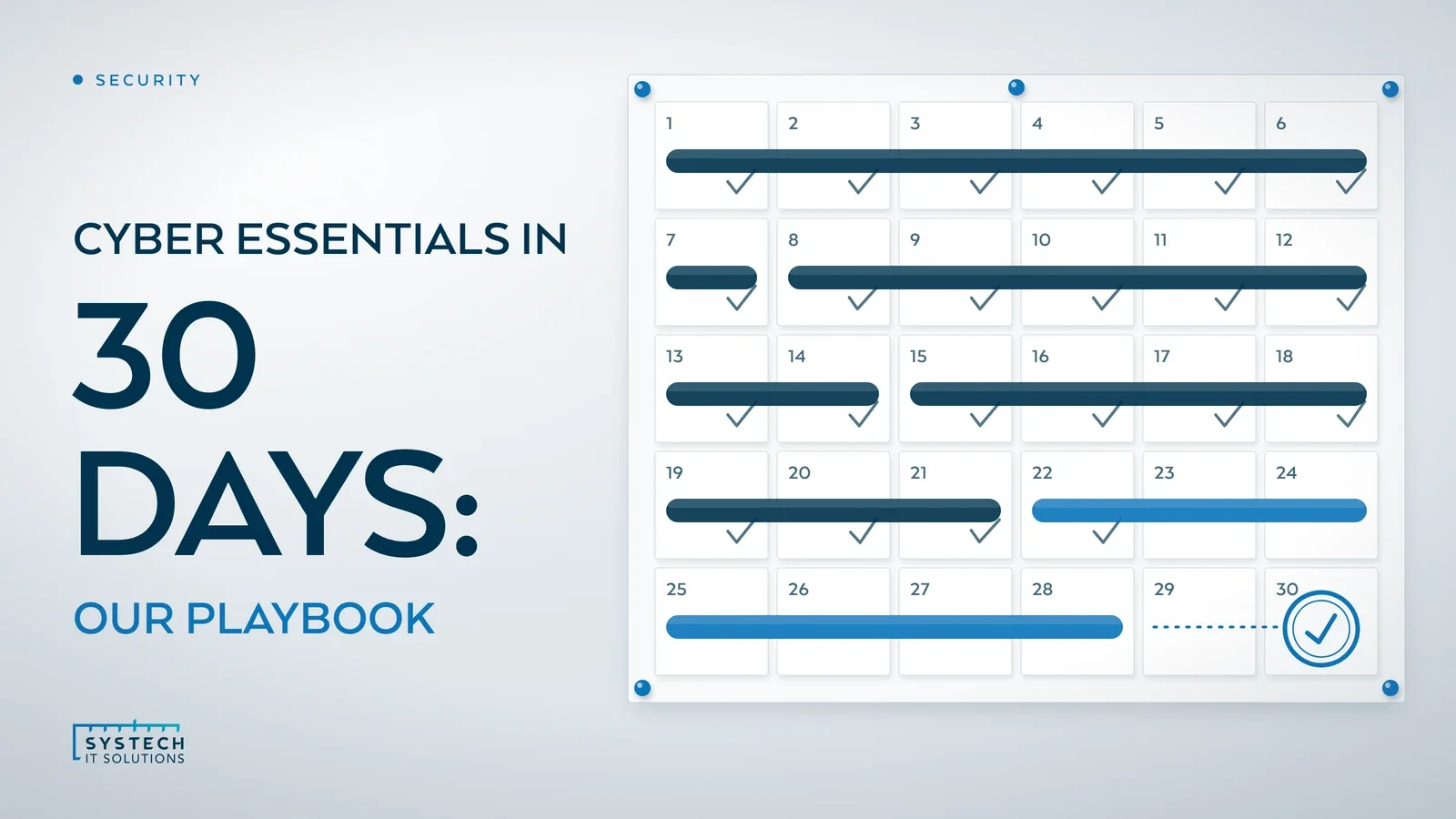
Cyber Essentials has a reputation for being a slog. It isn't, if the basics of your IT estate are already reasonably well-run. We hold Cyber Essentials ourselves, and we regularly help other businesses prepare for it using this exact process. Four weeks, done properly, is a realistic timeline, not a marketing line.
In short: Yes, a reasonably well-run IT estate can achieve Cyber Essentials in about four weeks. The certification is a self-assessment against five control themes, verified by an accredited certification body: firewalls, secure configuration, security update management, user access control and malware protection. Spend week one auditing your estate, weeks two and three closing gaps, and week four completing and submitting the questionnaire.
Cyber Essentials is a self-assessment questionnaire, verified by an accredited certification body, not a penetration test. It's a UK government-backed scheme run by the IASME Consortium on behalf of the NCSC, and it checks five control themes: firewalls, secure configuration, security update management, user access control and malware protection. Get those five things right and the certificate follows. Here's the plan we use.
Week 1: Know what you're assessing
You can't secure what you haven't listed. Start with a full asset audit covering every laptop, desktop, server, mobile device and cloud service in scope for the certification, including anything staff use to access company email or data, personal devices included if they touch business data.

Once you have the list, run a gap analysis against the five control themes. For each asset, ask: is the firewall on and configured, is it running a supported, patched OS, does automatic updates work, who has admin rights on it, and is malware protection active. This single week of honest stock-taking is what makes the rest of the month straightforward. Skip it, and you'll be firefighting unknown gaps in week 4 instead.
Week 2: Fix the quick wins
Most of what week 1 turns up falls into a handful of categories that are quick to remediate:
- Boundary firewalls on and correctly configured, with default administrative passwords changed
- Device-level firewalls enabled on every laptop and desktop, not just the network edge
- Automatic updates turned on everywhere, so security patches land within 14 days of release
- Local administrator rights removed from standard user accounts, leaving only the people who genuinely need them
- Malware protection active and up to date on every device, whether that's built-in Defender or a third-party product
None of this is exotic. It's the stuff that gets skipped when a device is provisioned in a hurry or a firewall rule is left on "allow" because nobody circled back to tidy it. This is normally the week that closes the most gaps.
Week 3: Access control and configuration
With the quick wins done, week 3 is about discipline. Every user needs their own unique account, no shared logins, no generic "reception" or "warehouse" credentials that half the office knows. Set a proper password policy or, where the platform supports it, move to passwordless sign-in with MFA enforced. Then review who actually holds admin rights and why, most businesses find people who were given elevated access for a one-off task years ago and never had it removed.

One point that catches businesses out: the current question set requires multi-factor authentication on all cloud services, administrators and users alike, not just admins. If your Microsoft 365 or Google Workspace tenant still has accounts signing in on a password alone, that's a fail waiting to happen, so this is the week to enforce MFA across every cloud service in scope. The scheme also expects unsupported or end-of-life software to be removed from scope or segregated, so anything past its vendor support date, an old Windows build, an unpatchable appliance, needs dealing with now rather than explained away later.
Secure configuration is the other half. Remove software and user accounts nobody uses, disable auto-run on removable media, and hunt down any device or piece of network kit still sitting on its default password. It's unglamorous work, but it's exactly what an assessor is checking for.
"Losing a contract because you can't tick the Cyber Essentials box on a supplier questionnaire is a real cost, not a hypothetical one. Getting certified is cheaper than losing the tender."
Week 4: Submit and respond
By week 4 the technical work should be done, so this week is about the paperwork. Complete the self-assessment questionnaire honestly and in detail, vague or inconsistent answers are the most common reason submissions bounce back. Submit it to your certification body and expect some follow-up questions, most assessors will come back for clarification on at least one or two answers before signing off. Answer promptly and specifically, and certification typically follows within days.
What does Cyber Essentials cost, and how long does it last?
Certification is priced in bands by organisation size rather than as a flat fee, so a micro business pays considerably less than a large one. IASME publishes the current banding, and for the smallest organisations the assessment itself starts at a few hundred pounds plus VAT, before any remediation work you choose to bring in help for. The certificate is valid for twelve months, after which you re-certify, so it's worth treating the five controls as an ongoing standard to maintain rather than a one-off hurdle to clear and forget. A qualifying certificate for organisations with turnover under £20 million also includes cyber liability insurance as standard, which is a useful side benefit that often surprises first-time applicants.
When is Cyber Essentials not enough?
For a lot of businesses, Cyber Essentials is the whole requirement, it satisfies the supplier questionnaire, the tender document, the insurer's checklist. Some contracts, particularly in the public sector and supply chains for larger organisations, ask for Cyber Essentials Plus instead, which adds independent, hands-on technical testing rather than self-assessment. We've covered the difference and how to work out which one you actually need in a separate post, worth a read if you're not sure which applies to you.
Where we come in
We hold Cyber Essentials ourselves, so this isn't advice from the sidelines, it's the process we run internally too. If you'd rather have someone who does this daily run the audit, close the gaps and manage the submission, that's exactly what our Security Services team does for clients who want certification without the four weeks of trial and error. Request a short call and we will talk through where your gaps are likely to be before you commit to anything.